www.xbdev.net
xbdev - software development
Wednesday April 29, 2026
Home | Contact | Support | JavaScript... so much power in such a few lines of code..


JavaScript...

so much power in such a few lines of code..


Quick introduction in to basic fluid (and gas) dynamics with a practical emphasis (not just theory but actually implementing and seeing things work).

Keywords: smoke, gas, dynamics, grid, simulation, real-time, animation, vortex, diffuse

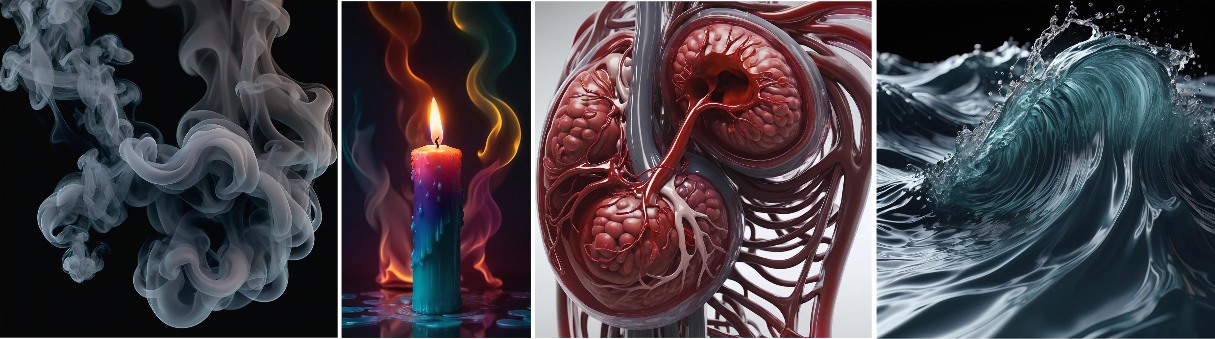
Fluids are really cool and also very common - they're all around you! The human body is 65% water, and the Earth is 2/3 water.. while gasses are like fluids brother - they have a very similar set of properties - like air, smoke and clouds.

If you drop in in water or watch smoke float up into the sky - I'm sure you noticed the patterns of similarity?

Anyhow, fluid and gas dynamics are all around you! The're magical and beautiful - and you can emulate their characteristics in code.

So how do you go about simulating these things? Is it hard?

Well fluid dynamics is a big area! With lots of different models - with levels of accuracy and computation cost - however, for the most part of this tutorial I'll focus on `visually' realistic simulations that make numerical approximations. Looks and moves correctly! Also fast and we can interact with it in real-time.


Fluids and gases are everywhere! They
Fluids and gases are everywhere! They're inside you, they're all around you, they are both simple and complex. Their beauty and magic in static and dynamic form are beyond words.


Few concepts and their details - which we're going to try and include:

Diffusion: In a cup of tea, sugar molecules diffuse from areas of high concentration to low concentration, sweetening the drink evenly.
Vortex: A whirlpool forms when water rushes down a drain, creating a swirling vortex of water.
Buoyancy: A ship floats because its weight is less than the weight of water it displaces, thanks to buoyancy.
Viscosity: Honey flows slowly due to its high viscosity, resisting deformation and sticking to surfaces.


Simple Discrate Fluid/Gas Simulation Demo


The code uses JavaScript for the fluid/gas dynamics - as it's easy to follow and can run anywhere (just need a web browser). Focus on 2D simulations - so that it doesn't get overy complex. But it should be enough to show swirly ink-like animation patterns.

The concept implementation has been broken down into key functions - each performing a specific task (like diffusion and buoyancy).

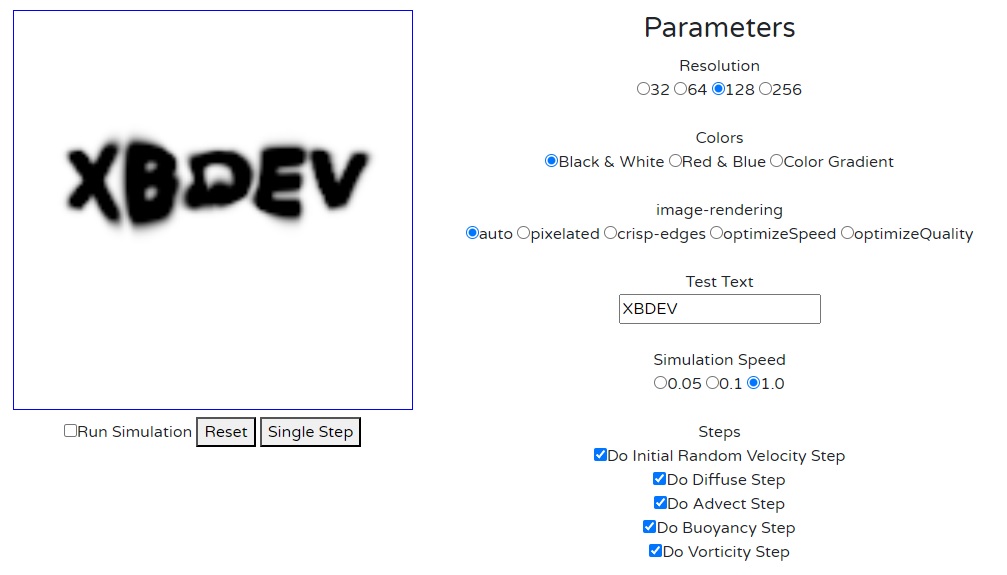
The full code is also implemented on a demo page (LINK).



Smoke and Gas Simulation Output - screenshot from smoke.xbdev.net - test the demo out live.


The following gives the full working code (simplfied) that can run from a single file (no external libraries or resources required).

<!DOCTYPE html>
<html lang="en">
<head>
<meta charset="UTF-8">
<meta name="viewport" content="width=device-width, initial-scale=1.0">
<title>Fluid and Gas Dynamics Simulation - XBDEV - Educational Tech Demo</title>
<style>
    canvas {
        border: 1px solid black;
    }
</style>
</head>
<body>
<canvas id="canvas" width="400" height="400"></canvas>
<script>
    // Get the canvas element and its context
    const canvas = document.getElementById('canvas');
    const ctx = canvas.getContext('2d');

    // Define the size of the grid
    const resolution = 2.0;
    const cols = canvas.width / resolution;
    const rows = canvas.height / resolution;

    // Create arrays to hold the density, u velocity, and v velocity
    let density = new Array(cols).fill(0).map(() => new Array(rows).fill(0));
    let u = new Array(cols).fill(0).map(() => new Array(rows).fill(0));
    let v = new Array(cols).fill(0).map(() => new Array(rows).fill(0));

    // Initialize density with a letter pattern
        const letter = "G"; // Change the letter here
        ctx.font = "bold 150px Arial";
        ctx.fillText('X', 50, 150);

        // Convert the letter on canvas to the density array
        const imageData = ctx.getImageData(0, 0, canvas.width, canvas.height);
        for (let i = 0; i < cols; i++) {
            for (let j = 0; j < rows; j++) {
                if (imageData.data[(j * 4 * imageData.width) + (i * 4) + 3] > 128) 
                {
                    density[i][j] = 1.0;
                }

            }
        }

    // initial velcoity
    for (let i = 0; i < cols; i++) {
        for (let j = 0; j < rows; j++) {
            const x = i * resolution - canvas.width / 2;
            const y = j * resolution - canvas.height / 2;
            // Introduce some randomness to the velocity initialization
            u[i][j] = Math.cos( 8 *  i / cols ) * Math.sin( 6 * i / cols ) * 0.1;
            v[i][j] = Math.sin( 16 * i / cols ) * Math.sin( 8 * i / cols ) * 0.5;
        }
    }


    // Function to update the simulation
    function update() {
        // Apply diffusion
        let diff = 0.01;
        diffuse(diff, u);
        diffuse(diff, v);
      
        applyBuoyancy(density, v);

        // Apply curl
        curl();

        // Advect density
        advect(density, u, v);

        // Draw the updated fields
        render();
        
        // Request animation frame for continuous update
        requestAnimationFrame(update);
    }

  
    // Function to apply diffusion
    function diffuse(diff, field) {
        const dt = 0.1; // Time step
        const visc = 0.0001; // Viscosity
        const amount = dt * visc * (cols - 2) * (rows - 2) * diff;

        for (let k = 0; k < 10; k++) { // Iterations for stability
            for (let i = 1; i < cols - 1; i++) {
                for (let j = 1; j < rows - 1; j++) {
                    field[i][j] = (field[i][j] + amount * (
                        field[i - 1][j] + field[i + 1][j] +
                        field[i][j - 1] + field[i][j + 1])) / (1 + 4 * amount);
                }
            }
        }
    }

      // Function to apply buoyancy force
    function applyBuoyancy(density, v) {
        const gravity = 0.05; // Strength of gravity
        const buoyancyAlpha = 0.1; // Buoyancy coefficient for density difference
        const buoyancyBeta = 0.1; // Buoyancy coefficient for vertical velocity
        const ambientTemperature = 0; // Ambient temperature

        for (let i = 0; i < cols; i++) {
            for (let j = 0; j < rows; j++) {
                const densityDifference = density[i][j] - ambientTemperature;
                const buoyancyForce = -buoyancyAlpha * densityDifference + buoyancyBeta * v[i][j];

                // Apply buoyancy force to vertical velocity
                v[i][j] += buoyancyForce * gravity;
            }
        }
    }


    // Function to apply curl
    function curl() {
        const dt = 0.1; // Time step
        const curlCoefficient = 1.0;

        for (let i = 1; i < cols - 1; i++) {
            for (let j = 1; j < rows - 1; j++) {
                const du_dy = (u[i][j + 1] - u[i][j - 1]) / (2 * resolution);
                const dv_dx = (v[i + 1][j] - v[i - 1][j]) / (2 * resolution);

                const curl = dv_dx - du_dy;
                u[i][j] += -curl * dt * curlCoefficient;
                v[i][j] +=  curl * dt * curlCoefficient;
            }
        }
    }

  
  // Function to advect the density field
function advect(field, u, v) {
    const dt = 0.1; // Time step

    const temp = new Array(cols).fill(0).map(() => new Array(rows).fill(0));

    for (let b=0; b<7; b++)
    for (let i = 1; i < cols - 1; i++) {
        for (let j = 1; j < rows - 1; j++) {
            let x = i - u[i][j] * dt / resolution;
            let y = j - v[i][j] * dt / resolution;

            // Add some diffusion-like behavior
            //x += (Math.random() * 2 - 1) * 0.1; // Introduce random noise in x direction
            //y += (Math.random() * 2 - 1) * 0.1; // Introduce random noise in y direction

            // Clamp advection position to canvas boundaries
            if (x < 0.5) x = 0.5;
            if (x > cols - 0.5) x = cols - 0.5;
            if (y < 0.5) y = 0.5;
            if (y > rows - 0.5) y = rows - 0.5;

            const i0 = Math.floor(x);
            const i1 = i0 + 1;
            const j0 = Math.floor(y);
            const j1 = j0 + 1;

            const s1 = x - i0;
            const s0 = 1 - s1;
            const t1 = y - j0;
            const t0 = 1 - t1;

            field[i][j] = s0 * (t0 * field[i0][j0] + t1 * field[i0][j1]) +
                          s1 * (t0 * field[i1][j0] + t1 * field[i1][j1]);
        }
    }
}


    // Function to render the fields
    function render() {
        ctx.clearRect(0, 0, canvas.width, canvas.height);

        for (let i = 0; i < cols; i++) {
            for (let j = 0; j < rows; j++) {
                const x = i * resolution;
                const y = j * resolution;

                // Draw density
                ctx.fillStyle = `rgba(0, 0, 0, ${density[i][j]})`;
                ctx.fillRect(x, y, resolution, resolution);

                /*
                // Draw velocity vectors
                ctx.beginPath();
                ctx.moveTo(x + resolution / 2, y + resolution / 2);
                ctx.lineTo(x + resolution / 2 + u[i][j] * 10, y + resolution / 2 + v[i][j] * 10);
                ctx.strokeStyle = 'blue';
                ctx.lineWidth = 2;
                ctx.stroke();
                */
            }
        }
    }

    // Start the simulation
    update();
</script>
</body>
</html>


Terms/Abbreviations/Glossary


CFD - Computational Fluid Dynamics
PDEs - Partial Differential Equations
FDM - Finite Difference Methods


Resources and Links


• Example test demo runnning [LINK]


101 WebGPU Programming Projects. WebGPU Development Pixels - coding fragment shaders from post processing to ray tracing! WebGPU by Example: Fractals, Image Effects, Ray-Tracing, Procedural Geometry, 2D/3D, Particles, Simulations WebGPU Games WGSL 2d 3d interactive web-based fun learning WebGPU Compute WebGPU API - Owners WebGPU Development Cookbook - coding recipes for all your webgpu needs! WebGPU & WGSL Essentials: A Hands-On Approach to Interactive Graphics, Games, 2D Interfaces, 3D Meshes, Animation, Security and Production Kenwright graphics and animations using the webgpu api 12 week course kenwright learn webgpu api kenwright programming compute and graphics applications with html5 and webgpu api kenwright real-time 3d graphics with webgpu kenwright webgpu for dummies kenwright webgpu wgsl compute graphics all in one kenwright webgpu api develompent a quick start guide kenwright webgpu by example 2022 kenwright webgpu gems kenwright webgpu interactive compute and graphics visualization cookbook kenwright wgsl webgpu shading language cookbook kenwright WebGPU Shader Language Development: Vertex, Fragment, Compute Shaders for Programmers Kenwright WGSL Fundamentals book kenwright WebGPU Data Visualization Cookbook kenwright Special Effects Programming with WebGPU kenwright WebGPU Programming Guide: Interactive Graphics and Compute Programming with WebGPU & WGSL kenwright Ray-Tracing with WebGPU kenwright


Advert (Support Website)

 
 Visitor:
Copyright (c) 2002-2026 xbdev.net - All rights reserved.
Designated articles, tutorials and software are the property of their respective owners.