Flying Through Clouds (Like Flight of the Navigator)
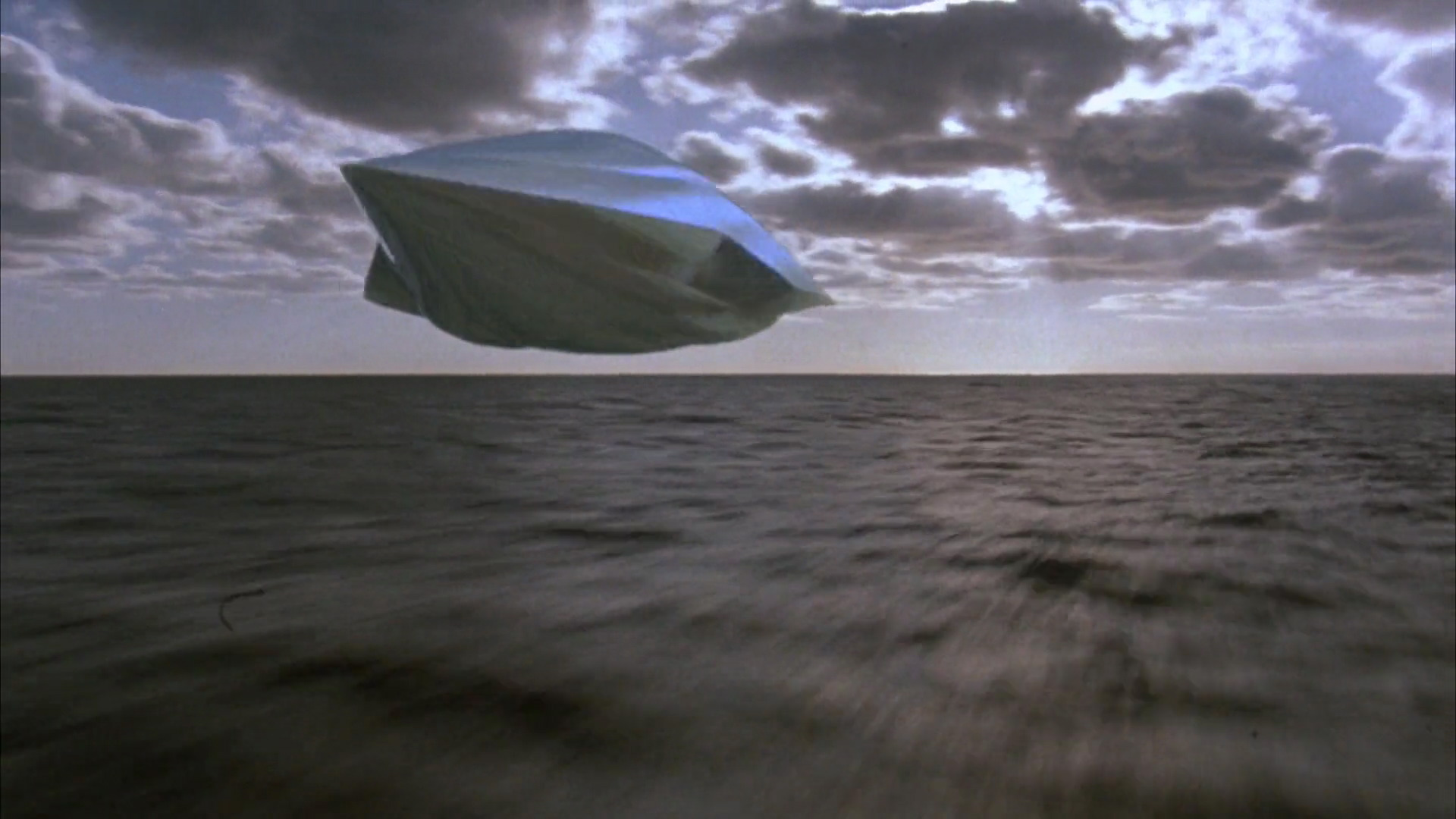
This reminds me of the movie 'flight of the navigator'! An all time classic in my opinion - when the boy flies the space ship through the clouds? Do you remember?
Flight of the navigator movie - from the late 80s, when a boy fly's through the clouds in an alien space ship! A classic!
Of course, for those, who haven't seen it or haven't even heard of it (might be before your time) - well it's in lots of other movies - it's also a common thing to see if you fly a lot?
You can use the common concept of volumetric noise (smooth 3d noise) and mix it with a bit of fractals (fractal brownian noise).
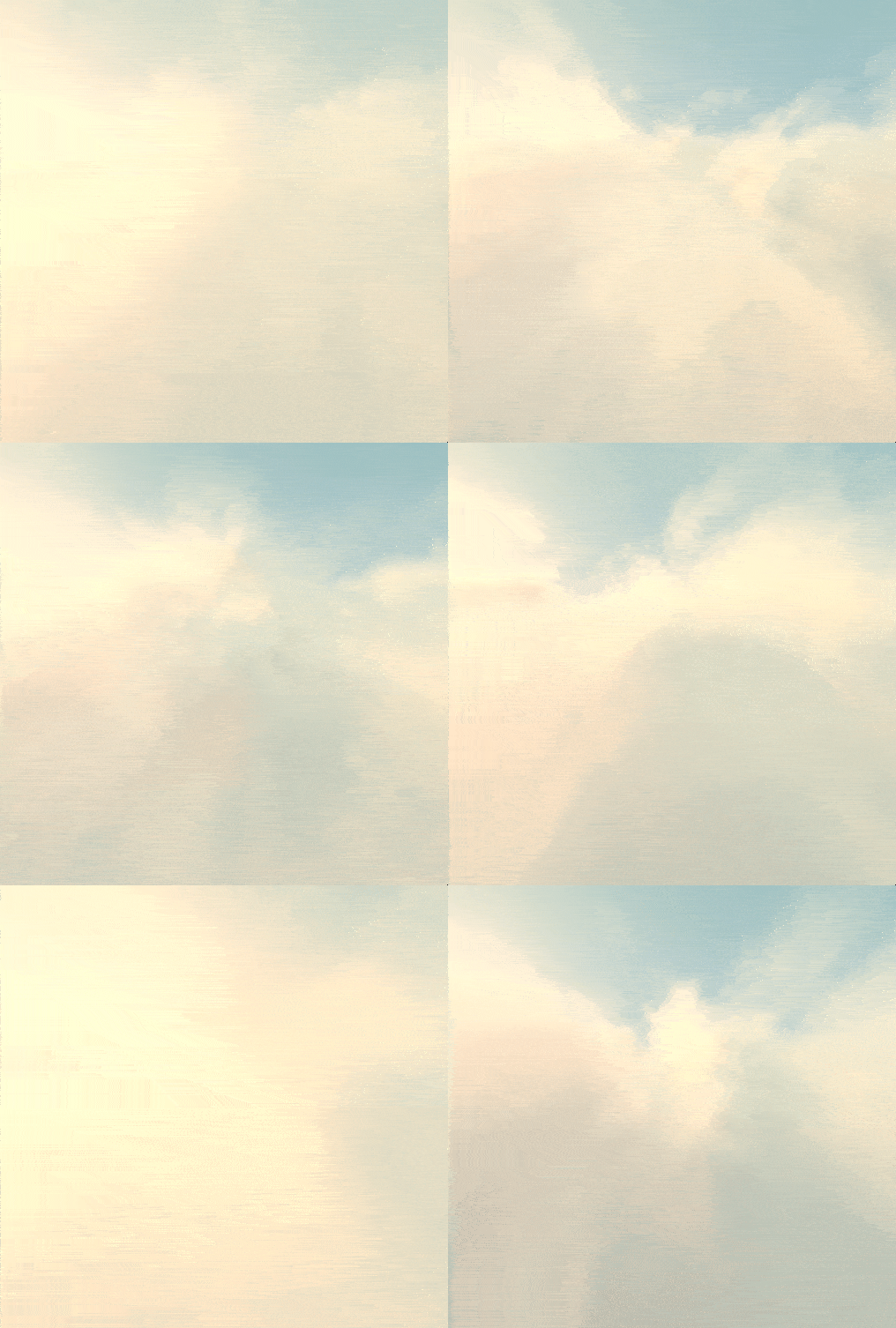
The full code is given below and runs on the fragment shader - you can see the working implementation at the bottom in the links (run it in a browser).
Flying through clouds gif screenshot recording of the output for the shader.
@group(0) @binding(2) var <uniform> mytimer : f32;

const sundir: vec3<f32> = vec3<f32>(-0.7071, 0.0, -0.7071);

fn random(st: vec2<f32>) -> f32 {
    return fract(sin(dot(st, vec2<f32>(1.9898, 0.233))) * 8.5453123);
}

fn randomsmooth(st: vec2<f32>) -> f32 {
    let i = floor(st * 3.0);
    let f = fract(st * 3.0);

    let a = random(i);
    let b = random(i + vec2<f32>(1.0, 0.0));
    let c = random(i + vec2<f32>(0.0, 1.0));
    let d = random(i + vec2<f32>(1.0, 1.0));

    let f2 = f * f * (3.0 - 2.0 * f);

    let x1 = mix(a, b, f2.x);
    let x2 = mix(c, d, f2.x);
    return mix(x1, x2, f2.y);
}

fn setCamera(ro: vec3<f32>, ta: vec3<f32>, cr: f32) -> mat3x3<f32> {
    let cw = normalize(ta - ro);
    let cp = vec3<f32>(sin(cr), cos(cr), 0.0);
    let cu = normalize(cross(cw, cp));
    let cv = normalize(cross(cu, cw));
    return mat3x3<f32>(cu, cv, cw);
}

// smooth noise in 3d
fn noise(x: vec3<f32>, tt:vec2<f32>) -> f32 {

    let p = floor(x);
    let f = fract(x);
    let f2 = f * f * (3.0 - 2.0 * f);

    let uv = (p.xy + p.z ) + f.xy;

    // modify smooth noise 2d to work with 3d
    return randomsmooth(  uv * 2.0   ) * 0.5;
}

// fractal brownian noise - make the noise more fractal and look like a cloud
fn fbn(p: vec3<f32>, time: f32, uv: vec2<f32>) -> f32 {
    var q = p - vec3<f32>(0.0, 0.1, 1.0) * time;
    var f: f32;
    f = 0.50000 *  noise(q, uv); q = q * 4.02;
    f += 0.25000 * noise(q, uv); q = q * 4.03;
    f += 0.12500 * noise(q, uv); q = q * 4.01;
    f += 0.06250 * noise(q, uv); q = q * 4.02;
    f += 0.03125 * noise(q, uv)*4.0;
    return clamp(1.5 - p.y - 2.0 + 1.75 * f, 0.0, 1.0);
}

// Implementations for map4, map3, and map2 are similar with adjusted noise calculations.
fn raymarch(ro: vec3<f32>, rd: vec3<f32>, bgcol: vec3<f32>, time: f32, uv:vec2<f32> ) -> vec4<f32> {
    var sum = vec4<f32>(0.0);
    var t = 0.0;//0.5 * randomsmooth( ro.xy);

    for (var i = 0; i < 120; i++) {
        let pos = ro + t * rd;
        if (pos.y < -3.0 || pos.y > 2.0 || sum.a > 0.99) {
            break;
        }
        let den = fbn(pos, time, uv); // Fractal brownian noise
        if (den > 0.01 )
        {
            let dif = clamp((den - fbn(pos + 0.3 * sundir, time, uv)) / 0.6, 0.0, 1.0);
            let lin = vec3<f32>(1.0, 0.6, 0.3) * dif + vec3<f32>(0.91, 0.98, 1.05);
            var col = vec4<f32>(mix(vec3<f32>(1.0, 0.95, 0.8), vec3<f32>(0.25, 0.3, 0.35), den), den);
            col = vec4(col.xyz*lin, col.w);
            col = vec4( mix(col.xyz, bgcol, 1.0 - exp(-0.003 * t * t)), col.w );
            col = vec4( col.xyz, col.w*0.4 );
            col = vec4( col.rgb*col.a, col.a );
            sum += col * (1.0 - sum.a);
        }
        t += 0.02;
       // t += max(0.06, 0.05 * t)*0.5;
    }

    return clamp(sum, vec4<f32>(0.0), vec4<f32>(1.0));
}

fn render(ro: vec3<f32>, rd: vec3<f32>, time: f32, uv:vec2<f32>) -> vec4<f32> {
    let sun = clamp(dot(sundir, rd), 0.0, 1.0);
    var col = vec3<f32>(0.6, 0.71, 0.75) - rd.y * 0.2 * vec3<f32>(1.0, 0.5, 1.0) + 0.15 * 0.5;
    col += 0.2 * vec3<f32>(1.0, 0.6, 0.1) * pow(sun, 8.0);

    let res = raymarch(ro, rd, col, time, uv);
    col = col * (1.0 - res.w) + res.xyz;

    col += vec3<f32>(0.2, 0.08, 0.04) * pow(sun, 3.0);
    return vec4<f32>(col, 1.0);
}

@fragment
fn main(@location(0) uvs: vec2<f32>) -> @location(0) vec4<f32> {
    let resolution = vec2<f32>( 512, 512 );
    let mouse = vec2<f32>(0.0);
    let fragCoord = uvs * resolution;

    let p = (2.0 * fragCoord - resolution.xy) / resolution.y;
    let m = mouse.xy / resolution.xy;

    let ro = 4.0 * normalize(vec3<f32>(sin(3.0 * m.x), 0.8 * m.y, cos(3.0 * m.x))) - vec3<f32>(0.0, 0.1, 0.0);
    let ta = vec3<f32>(0.0, -1.0, 0.0);
    let ca = setCamera(ro, ta, 0.07 * cos(0.25 * mytimer));

    let rd = ca * normalize(vec3<f32>(p, 1.5));

    return render(ro, rd, mytimer, uvs);
}
The main points of the implementation is the noise - smooth 3d point (from a 3d point you can calculate noise value). You then use a simple ray marching algorithm.
As you're flying above the clouds you want to bias the noise so the bottom is denser - top has no clouds (or very few) - so it still looks like you're flying through the clouds (not stuck inside one).