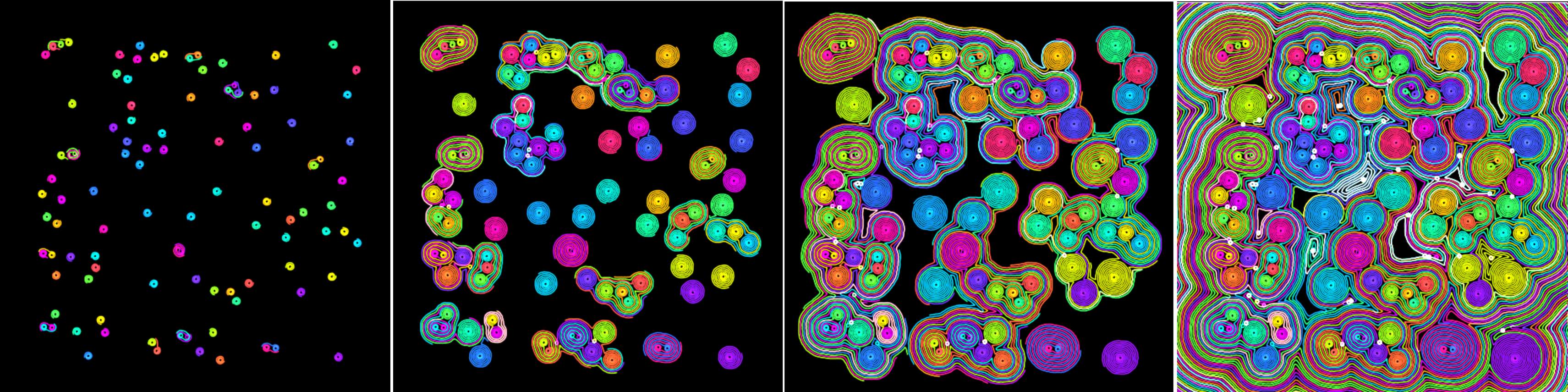
The example is candy for the eyes - as you can watch worms move around the screen - leaving a trail behind them. As they move around, they'll try and avoid other worm trails.
Using a simple avoid logic that the worms turn right, but when they hit something (wall) they iteratively turn left trying to avoid the collision.
What you end up with is lots of worms traveling around while generating a hypnotic pattern.
Texture worm pattern as it evolves over time - showing the pattern creation.
Algorithm (How it Works)
Give you the keys points
• Implemented on the GPU using WebGPU
• Ping-pong textures (2 textures draw to one texture which is then passed to the next draw)
• RGBA32 format - so it avoids numerical limitations (create smoother patterns)
• Hacky bit - the worm data is stored in a single row of pixels at the top of the image (like Teletex - do you remember Teletex?)
The worms have a position/angle/age which is stored in a single rgba value - the first line of pixels (bit hacky this but it works).
Alternatively you could use the 'alpha' to track which pixels are 'head' and use them to move around (not overlapping or hitting any other heads).
For the default the worms are given a constant 'gradient' so they always curve - creating the nice swirly pattern - however, you can add in more randomness or motion - so they choose a new direction on collision or sometimes clocwise and someetimes straight.
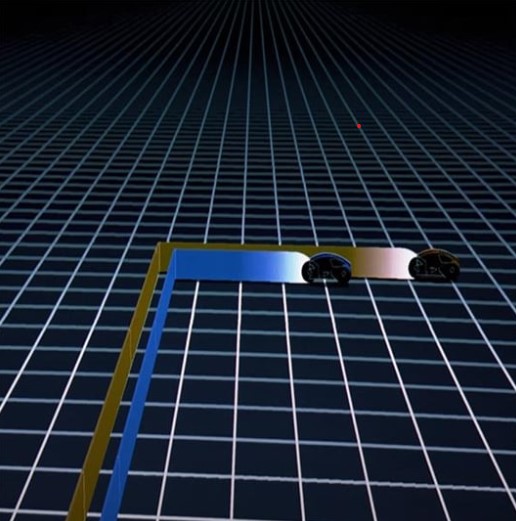
Creates a 'Tron' like effect - or if you're interested in biology - looks like the cross section of something organic/celluar. Have you seen 'Tron'? Bikes?
Tron and the bike scene - classic (and epic) movie
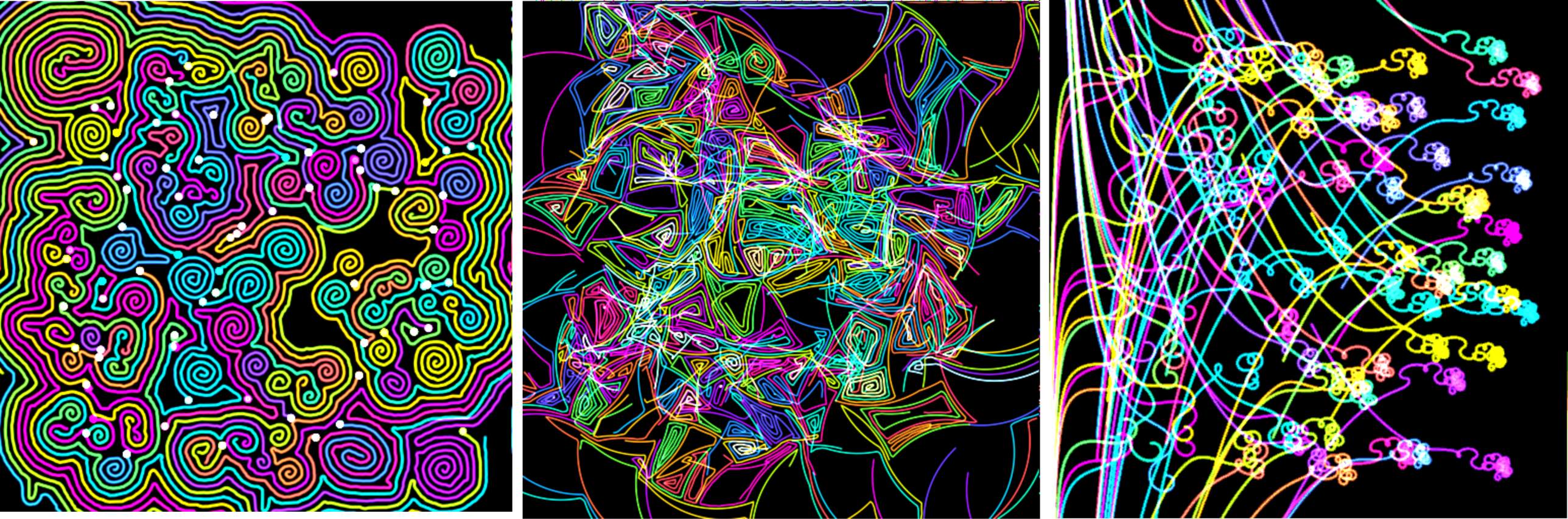
You can play around with the default parameters, such as, the thickness, increment angle, number of worms and so on to create all sorts of different patterns. The algorithm/code is actually very simple - but the resulting patterns are really complex and interesting (sort of have a fractal-like infinite feel).
Examples by modifying few of the paramters.
The complete fragment shader is shown below - the complete code including a working online version is given at the bottom in the resources links.
@group(0) @binding(0) var  mySampler: sampler;
@group(0) @binding(1) var  myTexture: texture_2d<f32>;
@group(0) @binding(2) var <uniform> mytimer : f32;


const WORM_WIDTH:f32 = 1.5;
const WORM_SPACING:f32 = 1.0;
const WORM_CURVE:f32 = 0.5;
const NUM_WORMS:f32 = 100.;
const resolution: vec2<f32> = vec2<f32>(512.0, 512.0);

// using rgba32 - for 128bit texture - can't use 'sampler'
fn textureSample2(t:texture_2d<f32>, s:sampler, coords:vec2<f32>) -> vec4<f32>
{
    return textureLoad( myTexture, vec2<i32>( i32(coords.x*512.0), i32(coords.y*512.0) ), 0 );
    //return textureSample(myTexture, mySampler, coords / resolution);
}

fn mymod(x:f32, y:f32) -> f32
{
    return ( x - y * floor(x/y) );
}

fn mysmoothstep(edge0: f32, edge1: f32, x: f32) -> f32 {
    let t = clamp((x - edge0) / (edge1 - edge0), 0.0, 1.0);
    return t * t * (3.0 - 2.0 * t);
}

fn calculateCosSin(angle:f32) -> vec2<f32>
{
    return vec2<f32>(cos(angle), sin(angle)) * 1.0;
}

fn randomValue(seed:f32) -> f32
{
    return 2. * fract(456.68 * sin(1e3 * seed + mymod(1.0, 100.))) - 1.;
}

fn getTextureColor(coords:vec2<f32>) -> vec4<f32>
{
    return textureSample2(myTexture, mySampler, coords / resolution);
}

// Main fragment function
@fragment
fn main(@builtin(position) position : vec4<f32>) -> @location(0) vec4<f32>
{
    let fragCoord: vec2<f32> = position.xy;
    let uv = fragCoord * (1.0/512.0);

    var lastColor = textureSample2(myTexture, mySampler, uv ).xyzw;
    var fragColor = lastColor;

   if ( abs( fragCoord.y - 0.5 ) < 1.0  && mytimer==0.0)
   {
        var initialPosition:vec2<f32> = resolution / 2.0 +
                                        resolution / 2.4 *
            vec2(randomValue(fragCoord.x),
                 randomValue(fragCoord.x + 0.1));

        var initialAngle:f32 = 3.14 * randomValue(fragCoord.x + 0.2);

        fragColor = vec4<f32>(initialPosition, initialAngle, 5.0);
    }


    for (var i:f32 = 0.0; i < NUM_WORMS; i += 1.0)
    {
        var headState:vec4<f32> = getTextureColor( vec2(i, 0.5) );

        if ( abs( fragCoord.y - 0.5 ) > 1.0 && mytimer>0.0)
        {
            var distanceToHead:f32 = length(headState.xy - fragCoord);
            var color:vec4<f32> = .5 + .5 * sin(6.3 * i / NUM_WORMS + vec4(0, -2.1, 2.1, 1));

            // hack to increase spacing using 'alpha' spacing
            fragColor += mysmoothstep(WORM_WIDTH+WORM_SPACING, 0.0, distanceToHead) * vec4<f32>(0,0,0,1);

            fragColor += mysmoothstep(WORM_WIDTH, 0.0, distanceToHead) * color;
        }
    }

      var headState:vec4<f32> = getTextureColor(fragCoord);


    var angle:f32 = headState.z - WORM_CURVE;
    var initialAngle = angle;

    let MAX_ITERATIONS:i32 = 25;
    let TURN_ANGLE:f32 = 6.283185 / f32(MAX_ITERATIONS);
    var found:bool = false;
    for (var i:i32 = 0; i < MAX_ITERATIONS; i++) {

        var nextPosition:vec2<f32> = headState.xy + (WORM_WIDTH + 2.0) * calculateCosSin(angle)*1.0;

        let rgb = length( getTextureColor(nextPosition).rgba );

        if ( rgb < 0.1 || angle >= 13.0)
        {
            found = true;
        }
        if ( !found )
        {
            angle += TURN_ANGLE;
        }
    }

    if ( !found )
    {
        angle = headState.z + WORM_CURVE;
    }


    var cc = headState.xy + (WORM_WIDTH + 2.0) * calculateCosSin(angle)*1.0;
    var rgbTarget:f32 = length( getTextureColor( cc ).rgba );

    if ( abs( fragCoord.y - 0.5 ) < 1.0 && mytimer>0.0 )
    {
        // Add max .w if we want to limit the maximum age
        if ( headState.w > 0.0 ) //  && headState.w < 1000.0)
        {
            //if (rgbTarget < 0.1 )
            {
                var newPosition:vec2<f32> = headState.xy + calculateCosSin(angle)*1.0;
                var newAngle:f32 = mymod(angle, 6.2832);
                var newTime:f32 = headState.w + 1.0;

                fragColor = vec4<f32>(newPosition, newAngle, newTime);
            }
        }
    }
    return fragColor;
}
Things to Try
• Modify the movement to create other patterns instead of just circular motions
• Give each worm a different speed
• Have some worms eat the trail of other worms!
• Make the worms have different thickness
• Gameify the concept - like Tron - you control one of the worms and you move around! Have to stay alive for a certain amount of time?
• Give the worms 'layers' - so they can only move and interact with worms on their own layer
• Limit the length of the worm trails - so they fade away?
• 'Scroll' the world - a parallax type effect instead of it just being static
Advanced
• Generate the texture with is a 2d image - then use it to construct a '3d' mesh/world (like Tron)
• Modify the implementation to use 'compute' shaders instead of fragment shaders
• Give each 'worm' a larger brain - more data and behaviours
• Create 'volumetric' worms - multiple textures (slices) and the worms can move up/down between the layers