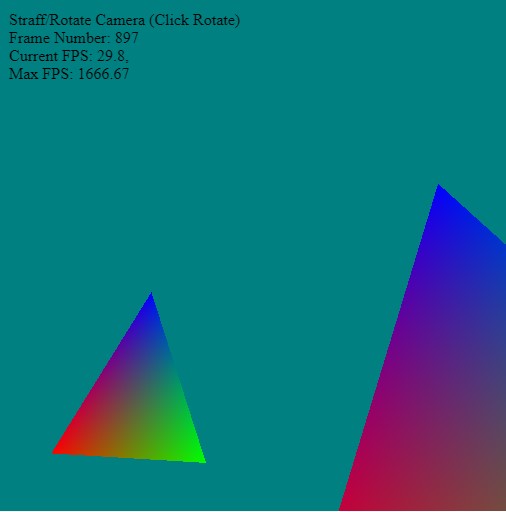
Cursor keys and WSAD strafe the camera - while clicking and draging the mouse cursor over the window rotates the camera view.
We add a couple of small helper functions to the top of the camera file - of course, these can be swapped out for the vector/matrix libraries in the gl-matrix. However, it prevents any external dependencies and doesn't hide away any of the functionality/workings.
// Helper functions
function Cross( v1, v2 )
{
    let normal = {};

    // Calculate the cross product with the non communitive equation
    normal.x = ((v1.y * v2.z) - (v1.z * v2.y));
    normal.y = ((v1.z * v2.x) - (v1.x * v2.z));
    normal.z = ((v1.x * v2.y) - (v1.y * v2.x));

    // Return the cross product
    return normal;
}

function Normalize( v )
{
    // Get the magnitude of our normal
    let magnitude = Math.sqrt( v.x*v.x + v.y*v.y + v.z*v.z ) ;

    // Now that we have the magnitude, we can divide our vector by that magnitude.
    // That will make our vector a total length of 1.
    v.x = v.x / magnitude;
    v.y = v.y / magnitude;
    v.z = v.z / magnitude;

    // Finally, return our normalized vector
    return v;
}

function Subtract( v1, v2 )
{
  return { x:v1.x-v2.x,
           y:v1.y-v2.y,
           z:v1.z-v2.z };
}

// A 'static' property in JavaScript is best represented by a property directly on the constructor function itself

function camera() {}

camera.zero     = {x:0, y:0, z:0};
camera.up       = {x:0, y:1, z:0};

camera.position = camera.zero;
camera.view     = {x:0, y:0, z:-1};


  // This function sets the camera's position and view and up vectors
camera.PositionCamera = function ( positionX, positionY, positionZ, // target
                                     viewX,     viewY,     viewZ,     // position of the camera
                                   upX,       upY,       upZ)
  {
    camera.position = {x:positionX, y:positionY, z:positionZ};
    camera.view        = {x:viewX,     y:viewY,     z:viewZ};
    camera.up       = {x:upX,       y:upY,       z:upZ};
  }

  // This rotates the view around the position using an axis-angle rotation
camera.RotateView = function(angle,  x,  y,  z)
  {
    // Get the view vector (The direction we are facing)
    let tmpview = {x:camera.view.x-camera.position.x,
                   y:camera.view.y-camera.position.y,
                   z:camera.view.z-camera.position.z};

    // Calculate the sine and cosine of the angle once
    let cosTheta = Math.cos(angle);
    let sinTheta = Math.sin(angle);

    // Find the new x position for the new rotated point
    camera.view.x  = (cosTheta + (1 - cosTheta) * x * x)        * tmpview.x;
    camera.view.x += ((1 - cosTheta) * x * y - z * sinTheta)    * tmpview.y;
    camera.view.x += ((1 - cosTheta) * x * z + y * sinTheta)    * tmpview.z;

    // Find the new y position for the new rotated point
    camera.view.y  = ((1 - cosTheta) * x * y + z * sinTheta)    * tmpview.x;
    camera.view.y += (cosTheta + (1 - cosTheta) * y * y)        * tmpview.y;
    camera.view.y += ((1 - cosTheta) * y * z - x * sinTheta)    * tmpview.z;

    // Find the new z position for the new rotated point
    camera.view.z  = ((1 - cosTheta) * x * z - y * sinTheta)    * tmpview.x;
    camera.view.z += ((1 - cosTheta) * y * z + x * sinTheta)    * tmpview.y;
    camera.view.z += (cosTheta + (1 - cosTheta) * z * z)        * tmpview.z;

    // Add the newly rotated vector to our position to set our new rotated view of our camera.
    camera.view = {x:camera.view.x+camera.position.x,
                   y:camera.view.y+camera.position.y,
                   z:camera.view.z+camera.position.z};
  }


  // This rotates the position around a given point
camera.RotateAroundPoint = function(center, angle, x, y, z)
  {
    // To rotate our position around a point, what we need to do is find
    // a vector from our position to the center point we will be rotating around.
    // Once we get this vector, then we rotate it along the specified axis with
    // the specified degree.  Finally the new vector is added center point that we
    // rotated around (center) to become our new position.

    // Get vector from our position to the center we are rotating around
    let tmppos = {x:camera.position.x-center.x,
                  y:camera.position.y-center.y,
                  z:camera.position.z-center.z};

    // Calculate the sine and cosine of the angle once
    let cosTheta = Math.cos(angle);
    let sinTheta = Math.sin(angle);

    // Find the new x position for the new rotated point
    camera.position.x  = (cosTheta + (1 - cosTheta) * x * x)        * tmppos.x;
    camera.position.x += ((1 - cosTheta) * x * y - z * sinTheta)    * tmppos.y;
    camera.position.x += ((1 - cosTheta) * x * z + y * sinTheta)    * tmppos.z;

    // Find the new y position for the new rotated point
    camera.position.y  = ((1 - cosTheta) * x * y + z * sinTheta)    * tmppos.x;
    camera.position.y += (cosTheta + (1 - cosTheta) * y * y)        * tmppos.y;
    camera.position.y += ((1 - cosTheta) * y * z - x * sinTheta)    * tmppos.z;

    // Find the new z position for the new rotated point
    camera.position.z  = ((1 - cosTheta) * x * z - y * sinTheta)    * tmppos.x;
    camera.position.z += ((1 - cosTheta) * y * z + x * sinTheta)    * tmppos.y;
    camera.position.z += (cosTheta + (1 - cosTheta) * z * z)        * tmppos.z;

    // Now we just add the newly rotated vector to our position to set
    // our new rotated position of our camera.
    camera.position = {x:camera.position.x+center.x,
                       y:camera.position.y+center.y,
                       z:camera.position.z+center.z};
  }

  // This will move the camera forward or backward depending on the speed
camera.MoveCamera = function(speed)
  {
    // Get our view vector (The direciton we are facing)
    let dir = {x:camera.view.x-camera.position.x,
               y:camera.view.y-camera.position.y,
               z:camera.view.z-camera.position.z};

    dir = Normalize( dir );

    camera.position.x += dir.x * speed;        // Add our acceleration to our position's X
    camera.position.z += dir.z * speed;        // Add our acceleration to our position's Z
    camera.view.x += dir.x * speed;            // Add our acceleration to our view's X
    camera.view.z += dir.z * speed;            // Add our acceleration to our view's Z
  }

  // This strafes the camera left and right depending on the speed (-/+)
camera.StrafeCamera = function(speed)
{
    // Strafing is quite simple if you understand what the cross product is.
    // If you have 2 vectors (say the up and the view) you can
    // use the cross product formula to get a vector that is 90 degrees from the 2 vectors.

    let dir = { x:camera.view.x - camera.position.x,
                y:camera.view.y - camera.position.y,
                z:camera.view.z - camera.position.z };

    // Initialize a variable for the cross product result
    let vcross = Cross( dir, camera.up );

    // Normalize the strafe vector
    camera.strafe = Normalize( vcross );

    // Add the strafe vector to our position
    camera.position.x += camera.strafe.x * speed;
    camera.position.z += camera.strafe.z * speed;

    // Add the strafe vector to our view
    camera.view.x += camera.strafe.x * speed;
    camera.view.z += camera.strafe.z * speed;
}

// store the mouse/view information prior to mouse drag/look around
camera.StartViewByMouse = function( mx, my )
{
   camera.startMousePos = {x:mx, y:my };
   camera.startView     = camera.view;
}

camera.MoveViewByMouse = function( mx, my )
{
    camera.view = {...camera.startView};

    let angleY = (mx - camera.startMousePos.x) / 500.0;
    let angleZ = (my - camera.startMousePos.y) / 500.0;

    let axis = Cross( Subtract(camera.view, camera.position), camera.up);
    axis = Normalize(axis);

    // rotate the camera by the remaining angle (1.0f - lastRotX)
    camera.RotateView( angleZ, axis.x, axis.y, axis.z);

    // Always rotate the camera around the y-axis
    camera.RotateView(angleY, 0, 1, 0);
}


camera.GetViewMatrix = function()
  {
    // Give webgpu our camera position, then camera view, then camera up vector
      let viewMatrix = mat4.create();

    mat4.lookAt(viewMatrix,
               Object.values(camera.position),
               Object.values(camera.view),
               Object.values(camera.up));

      return viewMatrix;
  }


window.camera = camera;