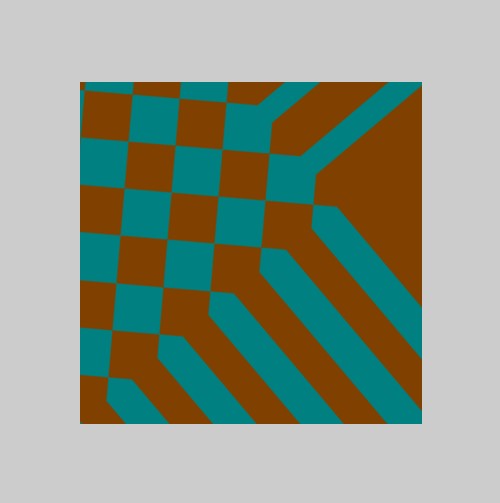
Textures are just a set of `2d coordinates` which we can manipulate on the shader to create an assortment of effects. The 2d coordinates can be modified using linear algebra techniques (e.g., scaling, rotating and so on). As we're using basic linear algebra - that means matrices!! Of course, don't worry, matrices are a walk in the park using the WGSL shadaer langauge and are built in to the language.
Transforming textures as we do vertices - with matrices - to accomplish a whole variety of effects - rotation, scaling, inversion, skewing, ...
Examples of texture operations
1. Scale
2. Rotate
3. Stretch
The following vertex shader shows a simple example of an animation effect - which makes the texture rotate. The UV texture coordiantes are transformed by a mat2x2 rotation matrix.
@group(0) @binding(1) var mySampler: sampler;
@group(0) @binding(2) var myTexture: texture_2d<f32>;
@group(0) @binding(3) var<uniform> myTimer  : f32;

@fragment
fn psmain(@location(0) uv: vec2<f32>) -> @location(0) vec4<f32>
{
    let angle = myTimer * 0.1;
    let c = cos(angle);
    let s = sin(angle);

    let texTransform = mat2x2<f32>( c,  -s,
                                    s, c );

    let newuv = texTransform * uv;

    return textureSample(myTexture, mySampler, newuv );

    //return vec4<f32>(1.0, 0.0, 0.5, 1.0);
}
The important thing to note, is that the texture coordinates are from the top left corner - so it rotates around the top left corner. To make it rotate around the center - we need to add in other transforms - first translate, the rotate then translate back.
We can combine multiple transform into a single matrix - apply it to the uv coordinates.
This lets us create some cool effects - which can even be combined with timing information (e.g., scroll or spin). Textures don't usually sit on a flat quad - they are used in all sorts of ways - so being able to trasform a texture brings lots of advantages.
Some examples:
• Height maps (scale/invert/tile textures to create larger scenes from simple texture samples)
• Animated surfaces (e.g., scrolling water surface)
• Animated sky (clouds and stars scroll/move around in a more organic fashion by using multiple transforms)
Transforms don't have to be linear and don't have to be the same across the entire texture - they can be mixed and manipulated in lots of ways - they can also be combined with logical conditions (e.g., uv.x is less than half then use this transform, otherwise use this other one).