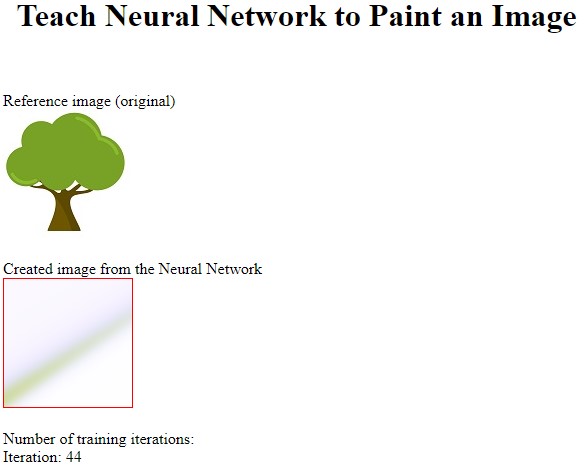
Output for the neural network learning to paint using a reference image as its inspiration.
Complete Code
// Learning to Paint with a Deep Neural Network
// (2) x,y (pixel coordinate for input)
// (15,15) hidden layers
// (3) rgb (red green blue pixel color output)

await xinitialize( {layers:[2,15,15,3], build:'cpu', learningrate:0.1} );

let div = document.createElement('div');
document.body.appendChild( div );
div.innerHTML = `
<h1 align='center'>Teach Neural Network to Paint an Image</h1>
<br><br>
Reference image (original)<br>
<img id="myimg" src="https://webgpulab.xbdev.net/var/images/tree.jpg"></img>

<br><br>
Created image from the Neural Network<br>

<canvas id="mycanvas" width="128" height="128" style="border:1px solid #ff0000;"> </canvas>

<br><br>
Number of training iterations:<br>
<div id="counter">Iteration:</div>
`;

let canvas     = null;
let context    = null;
let size       = 128 * 128;
let iteration  = 0;

function getData(imageObj){

    canvas = canvas || document.getElementById('mycanvas');
    context = context || canvas.getContext('2d');
    context.drawImage(imageObj, 0, 0);

    let imageData = context.getImageData(0, 0, 128, 128);
    return imageData.data;
}

function getPixel(data,x,y){

    let red   = data[((128 * y) + x) * 4];
    let green = data[((128 * y) + x) * 4 + 1];
    let blue  = data[((128 * y) + x) * 4 + 2];

    return [red / 255, green / 255, blue / 255];
}

async function preview(){
    iteration++;

    let elem = document.getElementById('counter');
    elem.innerHTML = "Iteration: " + iteration;

    let imageData = context.getImageData(0, 0, 128, 128);
    for (let x = 0; x < 128; x++)
    {
        for(let y = 0; y < 128; y++)
        {
            let rgb = await xactivate([x/128,y/128]);
            imageData.data[((128 * y) + x) * 4]     = (rgb[0] ) * 255;
            imageData.data[((128 * y) + x) * 4 + 1] = (rgb[1] ) * 255;
            imageData.data[((128 * y) + x) * 4 + 2] = (rgb[2] ) * 255;
        }
    }
    context.putImageData(imageData,0,0);

    requestAnimationFrame(iterate);
}

async function iterate(){

    for (let x = 0; x < 128; x+=1)
    {
        for(let y = 0; y < 128; y+=1)
        {
            let dynamicRate =  .01/(1+.0005*iteration);
            let px = getPixel(imgData,x,y);
            await xactivate([x/128,y/128]);
            await xpropagate( getPixel(imgData,x,y), dynamicRate );
        }
    }
    preview();
}

let imgData    = getData(document.getElementById('myimg'));

preview();
Things to Try
• Try different images as the reference
• The example uses a single image as the inspiration - however, try using two images extra input that represents image 1 or image 0
• Try passing other values in for the extra image value (e.g., 0.5) and see if it blends between the two iamges
• Pass in multiple images (each with an associated number)
• Try different image resolutions
• Analyse the training process of simple images - and identify which features or part of an image are reproduced first and why