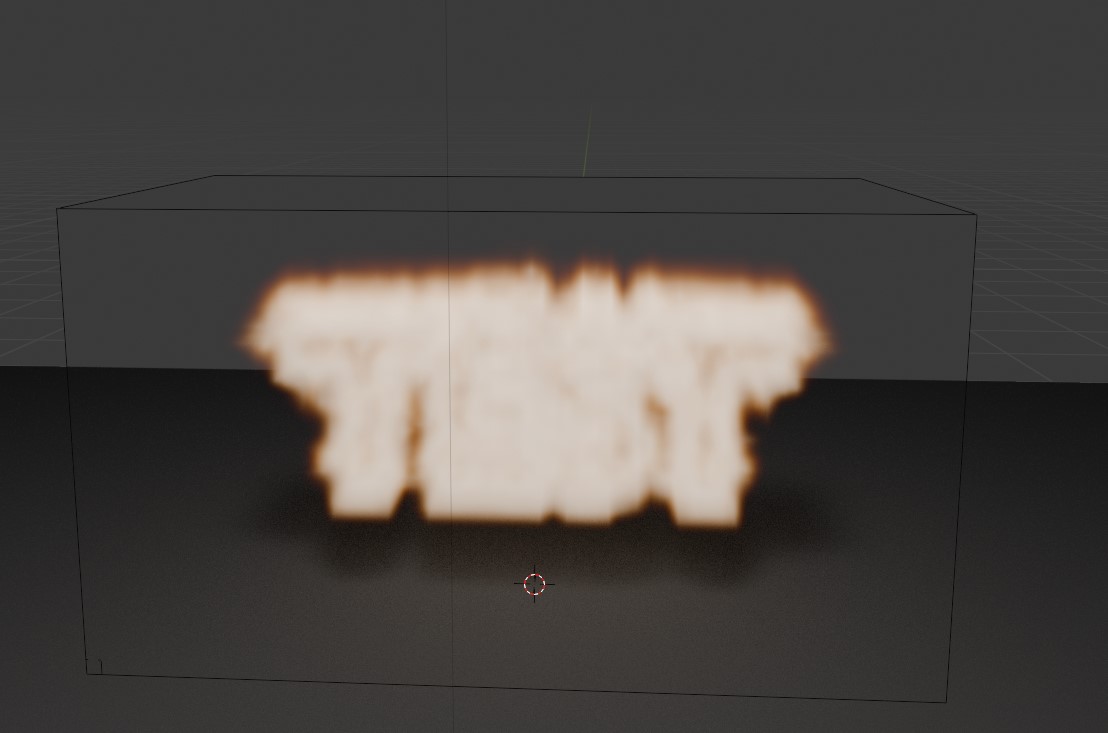
Generating burning text is actually very easy - you just add some text, convert it into a 3d mesh - then mix it with domain and fire/smoke emitter. The only tricky thing that might cause a bit of pain - is when you do this - the fire does not show up in the 'output' render - only in the viewport! Why? You also need to add a 'volume material' to the domain.
Once you've added the volume material - be sure to set the
Blackbody Intensity
to a value other than
0.0
- otherwise the 'flame' is very dark.
After that you just tweak all the values to get the type of fire/smoke you want - set things like, fuel, density, temperature and so on.
For the script below - I've set the 'text mesh' to be 'hidden' in the output render - so you can only see the 'fire/smoke' - shape of the text generating flames and smoke (but no mesh).
Example of the output - word 'TEST' as the placeholder word on fire.
<?php
import bpy
import math

for obj in bpy.data.objects:
    bpy.data.objects.remove(obj, do_unlink=True)  # Force delete

# Clear existing scene by looping through all objects
for obj in bpy.context.scene.objects:
    obj.select_set(True)  # Select each object
bpy.ops.object.delete()  # Delete all selected objects

for block in bpy.data.meshes:
    if block.users == 0:
        bpy.data.meshes.remove(block)

for block in bpy.data.materials:
    if block.users == 0:
        bpy.data.materials.remove(block)

for block in bpy.data.textures:
    if block.users == 0:
        bpy.data.textures.remove(block)

for block in bpy.data.images:
    if block.users == 0:
        bpy.data.images.remove(block)


# Create ground plane
bpy.ops.mesh.primitive_plane_add(size=10)
ground = bpy.context.active_object
ground.name = "Ground"
ground.location.y = -1

# Add dark material to ground
ground_mat = bpy.data.materials.new(name="GroundMaterial")
ground.data.materials.append(ground_mat)
ground_mat.use_nodes = True
nodes = ground_mat.node_tree.nodes
links = ground_mat.node_tree.links
nodes.remove(nodes['Principled BSDF'])
bsdf = nodes.new('ShaderNodeBsdfDiffuse')
bsdf.inputs['Color'].default_value = (0.05, 0.05, 0.05, 1)
output = nodes['Material Output']
links.new(bsdf.outputs['BSDF'], output.inputs['Surface'])

# Create 3D text
bpy.ops.object.text_add()
text = bpy.context.active_object
text.name = "FIRE_TEXT"
text.data.body = "TEST"
text.data.align_x = 'CENTER'
text.data.extrude = 0.2
text.data.bevel_depth = 0.05
text.location = (0, 0, 0.5)
text.rotation_euler = (math.radians(90), 0, 0)  # Rotate 90 degrees around X-axis

# Convert text to mesh
bpy.ops.object.convert(target='MESH')

# Add fire simulation domain
bpy.ops.mesh.primitive_cube_add(size=4)
domain = bpy.context.active_object
domain.name = "Fire_Domain"
domain.location = (0, 0, 2)
domain.scale = (2, 2, 1.5)

# Create and assign fire material
fire_mat = bpy.data.materials.new(name="FireMaterial")
domain.data.materials.append(fire_mat)
fire_mat.use_nodes = True
nodes = fire_mat.node_tree.nodes
links = fire_mat.node_tree.links

# Clear default nodes
for node in nodes:
    nodes.remove(node)

# Create just 2 essential nodes
output = nodes.new(type='ShaderNodeOutputMaterial')
principled_volume = nodes.new(type='ShaderNodeVolumePrincipled')

# Configure fire properties
principled_volume.inputs['Density'].default_value = 5.0       # Overall thickness
principled_volume.inputs['Anisotropy'].default_value = 0.0    # Light scattering
principled_volume.inputs['Blackbody Intensity'].default_value = 0.5  # Glow strength
principled_volume.inputs['Color'].default_value = (0, 0, 0.0, 1)  # Orange fire color

# Single connection
links.new(principled_volume.outputs['Volume'], output.inputs['Volume'])

# Setup fire simulation for Blender 4.1+
domain.modifiers.new(name="Fire", type='FLUID')
domain.modifiers["Fire"].fluid_type = 'DOMAIN'


# Configure fire settings in domain
settings = domain.modifiers["Fire"].domain_settings
settings.burning_rate = 0.5  # How fast fuel burns (higher = faster)
#settings.flame_smoke = 0.0  # No smoke, only fire
settings.flame_vorticity = 1.0  # Swirling effect
settings.flame_ignition = 1.0  # How easily fire starts
settings.flame_max_temp = 5.0  # Maximum flame intensity
settings.use_adaptive_domain = True  # Better performance
settings.resolution_max = 128  # Higher = better detail (but slower)
settings.use_dissolve_smoke = True


links.new(principled_volume.outputs['Volume'], output.inputs['Volume'])


# Add flow object (text as fire emitter)
text.modifiers.new(name="FireFlow", type='FLUID')
text.modifiers["FireFlow"].fluid_type = 'FLOW'
flow_settings = text.modifiers["FireFlow"].flow_settings
flow_settings.flow_type = 'BOTH'
flow_settings.flow_behavior = 'INFLOW'
flow_settings.temperature = 0.1  # Higher = more intense flames
flow_settings.density = 1.0  # 0 for no smoke
#flow_settings.use_initial_velocity = True  # Helps flames rise
#flow_settings.velocity_factor = 1.0  # Controls flame speed
#flow_settings.use_particle_size = True  # Better fire spread

flow_settings.fuel_amount = 0.5
flow_settings.temperature = 1
flow_settings.subframes = 1
flow_settings.use_initial_velocity = False
flow_settings.surface_distance = 0
flow_settings.volume_density = 0.4


#text.hide_render = True
#text.hide_viewport = True

bpy.data.objects["FIRE_TEXT"].hide_render = True
#bpy.data.objects["FIRE_TEXT"].hide_viewport = True

import math

# Setup camera
bpy.ops.object.camera_add()
camera = bpy.context.active_object
camera.location = (0, -12, 6)
camera.rotation_euler = (math.radians(70), 0, 0)
bpy.context.scene.camera = camera

# Setup lighting
bpy.ops.object.light_add(type='POINT', location=(0, -3, 5))
light = bpy.context.active_object
light.data.energy = 1000
light.data.shadow_soft_size = 0.5

# Set render settings
bpy.context.scene.render.engine = 'CYCLES'
bpy.context.scene.cycles.samples = 128
bpy.context.scene.cycles.volume_step_size = 0.1

bpy.context.scene.frame_set(1)
Visitor:
Copyright (c) 2002-2026 xbdev.net - All rights reserved.
Designated articles, tutorials and software are the property of their respective owners.