BVH files are a great way to store skeleton and animation data! The file format itself does not store any mesh information (only bones and movements). However, we can open these bvh files in Blender and take a look at the animation. All the bones linked up correctly and it animates smoothly when we click play.
The problem is - the animated skeleton can't be drawn - and is just a 'skeleton' for tracking and controlling motion. But we can mix in a few scripts to link meshes to the skeleton for fun.
For testing, let's use the simple Angry Walk BVH file - you can download it here: [LINK].
Scale the bvh transform when you load it! By default the transform will use centermetres - so it's 160cm - when loaded it shows up as huge! So when you load it, in the import dialog, select scale '0.01' so it is 1.6 units high - and fits in well with the default size/setup.
Attaching a 'Sphere' To One of the Bones
Let's use a simple Blender script to create a mesh sphere and link it to one of the bones (e.g., Chest) - when we play the animation - the sphere will move with the chest.
<?php
import bpy
import math

# Frame to sample
frame_to_use = 1

# Object and bone names
armature_name = "angrywalk"
bone_name = "Chest"
sphere_name = "TrackingSphere"

# Set the frame and update the scene
bpy.context.scene.frame_set(frame_to_use)
bpy.context.view_layer.update()

# Get armature and pose bone
armature = bpy.data.objects.get(armature_name)
if armature and armature.type == 'ARMATURE':
    pose_bone = armature.pose.bones.get(bone_name)
    if pose_bone:
        # Get world-space position of the bone's head
        bone_head_world = armature.matrix_world @ pose_bone.head

        # Create a UV sphere at the bone head location
        bpy.ops.mesh.primitive_uv_sphere_add(radius=0.1, location=bone_head_world)
        sphere = bpy.context.object
        sphere.name = sphere_name

        # Parent the sphere to the armature bone
        sphere.parent = armature
        sphere.parent_type = 'BONE'
        sphere.parent_bone = bone_name

        # Convert world position to bone-local space
        bone_matrix_world = armature.matrix_world @ pose_bone.matrix
        sphere.matrix_parent_inverse = bone_matrix_world.inverted()
    else:
        print(f"Bone '{bone_name}' not found.")
else:
    print(f"Armature '{armature_name}' not found or is not an armature.")
Cylinder Bones
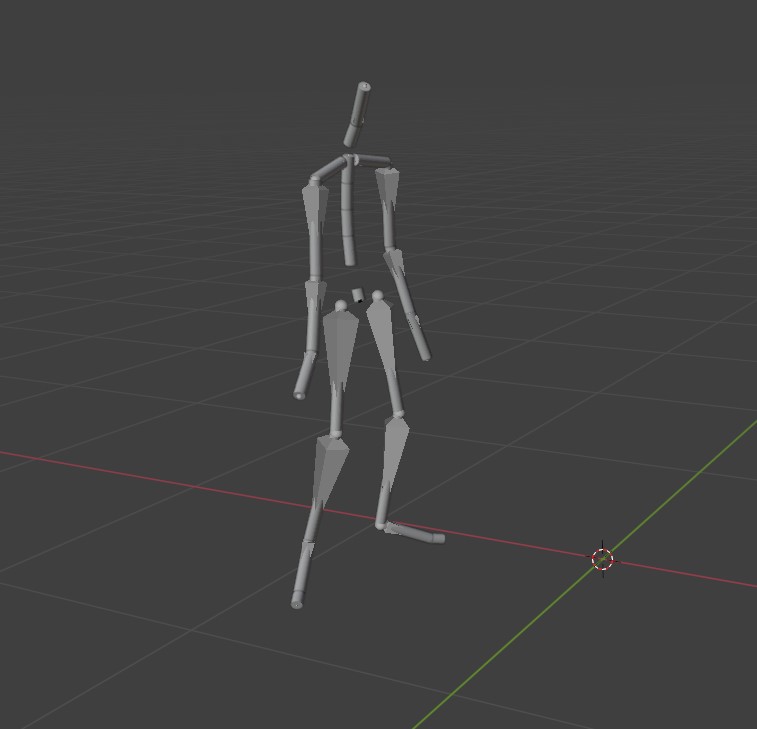
We can't render the bones - but we can 'attach' our own bones (cyliners) to each bone - like what we did with the sphere above. However, we'll go over every bone and attach a cyliner mesh. The tricky part is to make sure it's orientated the same as the bone and positioned correctly (point of rotation) so it moves exactly with the bones.
The image shows the bones with `cycliner' at the same location of each bone.
<?php
import bpy
import mathutils

# Settings
armature_name = "angrywalk"
frame_to_use = 1
cylinder_radius = 0.02
cylinder_name_prefix = "TrackingCylinder_"

# Set the frame and update the scene
bpy.context.scene.frame_set(frame_to_use)
bpy.context.view_layer.update()

# Get armature
armature = bpy.data.objects.get(armature_name)
if armature and armature.type == 'ARMATURE':
    for pose_bone in armature.pose.bones:
        bone_name = pose_bone.name

        # Get world space head and tail
        head_world = armature.matrix_world @ pose_bone.head
        tail_world = armature.matrix_world @ pose_bone.tail

        # Direction and distance from head to tail
        direction = (tail_world - head_world)
        length = direction.length
        direction.normalize()

        # Create a cylinder
        bpy.ops.mesh.primitive_cylinder_add(radius=cylinder_radius, depth=length, location=(0, 0, 0))
        cylinder = bpy.context.object
        cylinder.name = f"{cylinder_name_prefix}{bone_name}"

        # Align the cylinder along the bone direction
        # Default cylinder is aligned along Z, so rotate to match bone direction
        up = mathutils.Vector((0, 0, 1))
        quat = up.rotation_difference(direction)
        cylinder.rotation_mode = 'QUATERNION'
        cylinder.rotation_quaternion = quat

        # Position the cylinder at the center between head and tail
        center_world = (head_world + tail_world) / 2
        cylinder.location = center_world - direction*length

        # Parent the cylinder to the bone
        cylinder.parent = armature
        cylinder.parent_type = 'BONE'
        cylinder.parent_bone = bone_name

        # Correct transformation so it keeps world position
        bone_matrix_world = armature.matrix_world @ pose_bone.matrix
        cylinder.matrix_parent_inverse = bone_matrix_world.inverted()
else:
    print(f"Armature '{armature_name}' not found or is not an armature.")
Cones instead of Cylinders
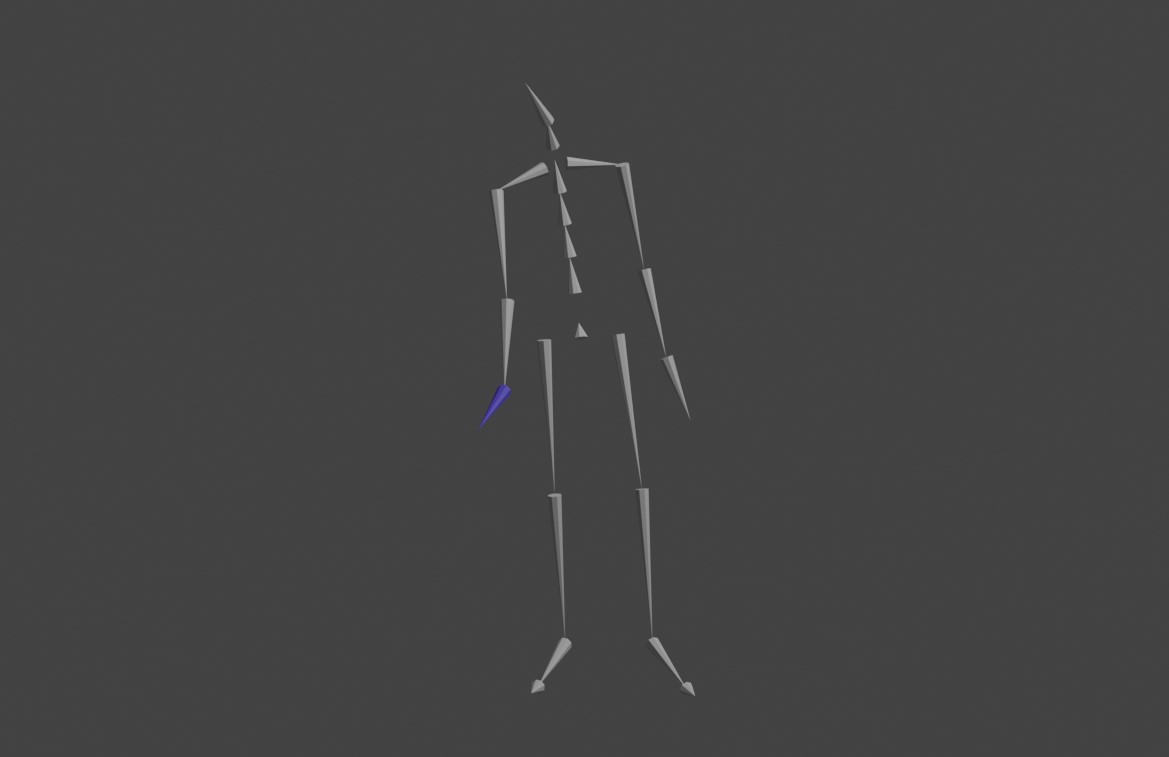
If you want your bones to look like cones instead - so you can see the root-child relationship better, just swap the one line for the object creation:
This is what the 'cone' version looks like instead of 'cylinders'.
<?php
bpy.ops.mesh.primitive_cone_add(
    vertices=8,
    radius1=cylinder_radius,
    radius2=0.0,  # Tip of the cone
    depth=length,
    location=(0, 0, 0)
)
Ghost View - Full Animation (Single Render)
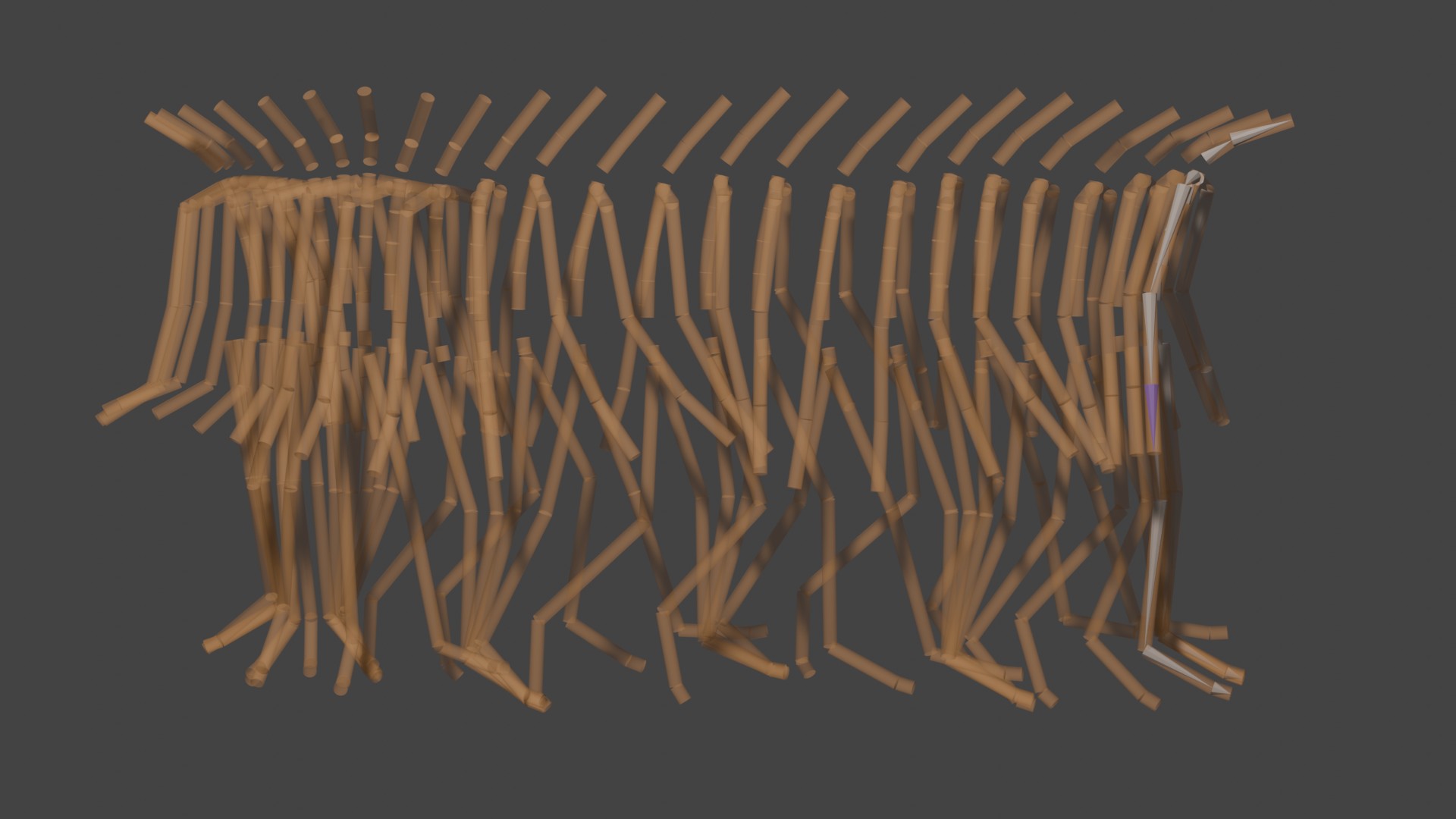
Instead of seeing only a single frame - you can create 'ghosts' that show where the skeleton has been - draw all of them at the same time so you can see the full animation. We don't want to do this for every frame - as it'll kill our Blender - instead - let's add a mesh for every 10 frames.
Ghost view of the bvh animation (as capsules).
<?php
import bpy
import mathutils

# Settings
armature_name = "angrywalk"
start_frame = bpy.context.scene.frame_start
end_frame = bpy.context.scene.frame_end
frame_step = 10
cylinder_radius = 0.02
cylinder_name_prefix = "GhostBone_"

# Get armature
armature = bpy.data.objects.get(armature_name)
if not armature or armature.type != 'ARMATURE':
    print(f"Armature '{armature_name}' not found or is not an armature.")
else:
    for frame in range(start_frame, end_frame + 1, frame_step):
        bpy.context.scene.frame_set(frame)
        bpy.context.view_layer.update()

        for pose_bone in armature.pose.bones:
            bone_name = pose_bone.name

            # World-space head and tail
            head_world = armature.matrix_world @ pose_bone.head
            tail_world = armature.matrix_world @ pose_bone.tail

            # Direction vector and length
            direction = (tail_world - head_world)
            length = direction.length
            direction.normalize()

            # Create cylinder
            bpy.ops.mesh.primitive_cylinder_add(radius=cylinder_radius, depth=length, location=(0, 0, 0))
            cylinder = bpy.context.object
            cylinder.name = f"{cylinder_name_prefix}{bone_name}_{frame}"

            # Align along bone direction (Z-axis to bone direction)
            up = mathutils.Vector((0, 0, 1))
            quat = up.rotation_difference(direction)
            cylinder.rotation_mode = 'QUATERNION'
            cylinder.rotation_quaternion = quat

            # Move to midpoint
            center_world = (head_world + tail_world) / 2
            cylinder.location = center_world

            # Optional: Assign a material with transparency or color based on frame
            mat = bpy.data.materials.get(f"GhostMat_{frame}")
            if not mat:
                mat = bpy.data.materials.new(name=f"GhostMat_{frame}")
                mat.use_nodes = True
                nodes = mat.node_tree.nodes
                links = mat.node_tree.links
                nodes.clear()

                output = nodes.new(type="ShaderNodeOutputMaterial")
                shader = nodes.new(type="ShaderNodeBsdfPrincipled")
                shader.inputs["Base Color"].default_value = (1.0, 0.5, 0.2, 1.0)  # orange-ish
                shader.inputs["Alpha"].default_value = 0.3  # transparency
                shader.inputs["Roughness"].default_value = 1.0
                output.location = (200, 0)
                shader.location = (0, 0)
                links.new(shader.outputs["BSDF"], output.inputs["Surface"])

                mat.blend_method = 'BLEND'

            cylinder.data.materials.append(mat)
Capsules (Cylinder with Spheres)
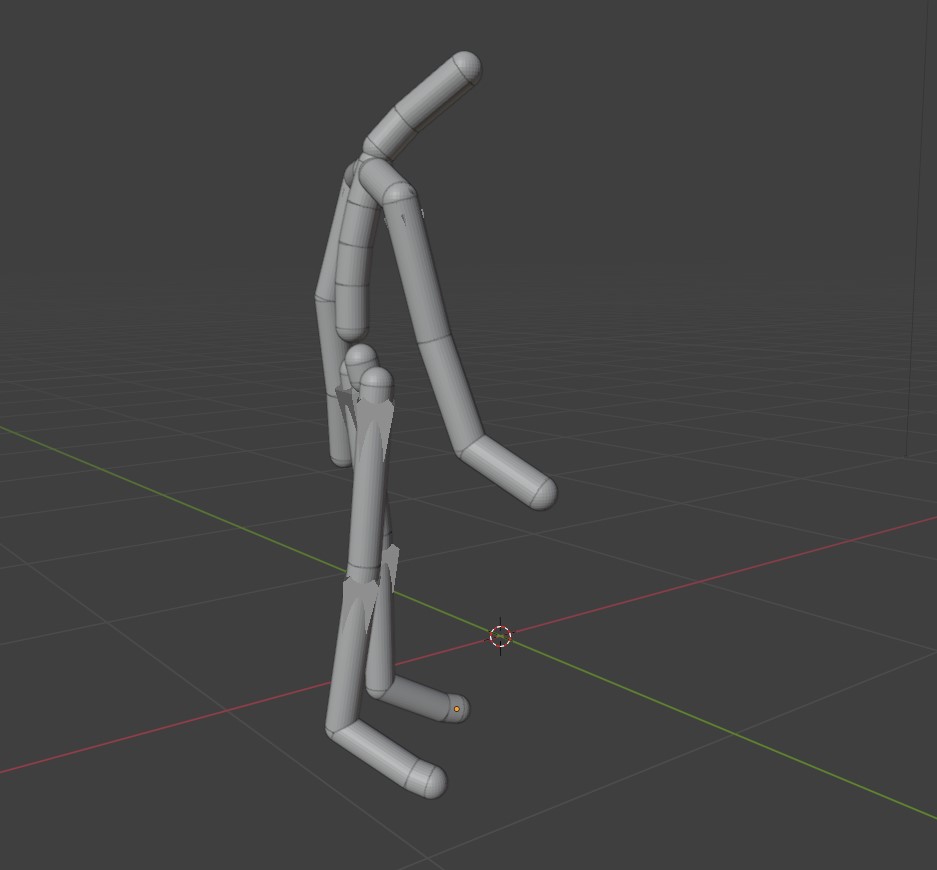
Blender does not have a built in 'capsule' - but we can easily put spheres on each end of our cylinder - so it looks like capsules. Modify our bvh code so it draws capsules instead of cylinders.
Skeleton bones drawn as 'capsules' (a cylinder with a sphere on each end).
<?php
import bpy
import mathutils

# Settings
armature_name = "angrywalk"
frame_to_use = 1
cylinder_radius = 0.04
cylinder_name_prefix = "TrackingCylinder_"

# Set the frame and update the scene
bpy.context.scene.frame_set(frame_to_use)
bpy.context.view_layer.update()

# Get armature
armature = bpy.data.objects.get(armature_name)
if armature and armature.type == 'ARMATURE':
    for pose_bone in armature.pose.bones:
        bone_name = pose_bone.name

        # Get world space head and tail
        head_world = armature.matrix_world @ pose_bone.head
        tail_world = armature.matrix_world @ pose_bone.tail

        # Direction and distance from head to tail
        direction = (tail_world - head_world)
        length = direction.length
        direction.normalize()

        # Create a cylinder
        bpy.ops.mesh.primitive_cylinder_add(radius=cylinder_radius, depth=length, location=(0, 0, 0))
        cylinder = bpy.context.object
        cylinder.name = f"{cylinder_name_prefix}{bone_name}"

        # Align the cylinder along the bone direction
        # Default cylinder is aligned along Z, so rotate to match bone direction
        up = mathutils.Vector((0, 0, 1))
        quat = up.rotation_difference(direction)
        cylinder.rotation_mode = 'QUATERNION'
        cylinder.rotation_quaternion = quat

        # Position the cylinder at the center between head and tail
        center_world = (head_world + tail_world) / 2
        cylinder.location = center_world - direction*length

        # Parent the cylinder to the bone
        cylinder.parent = armature
        cylinder.parent_type = 'BONE'
        cylinder.parent_bone = bone_name

        # Correct transformation so it keeps world position
        bone_matrix_world = armature.matrix_world @ pose_bone.matrix
        cylinder.matrix_parent_inverse = bone_matrix_world.inverted()


        # Add sphere at tail
        bpy.ops.mesh.primitive_uv_sphere_add(radius=cylinder_radius, location=head_world - direction*length)
        sphere_tail = bpy.context.object
        sphere_tail.name = f"{cylinder_name_prefix}{bone_name}_Tail"
        sphere_tail.parent = armature
        sphere_tail.parent_type = 'BONE'
        sphere_tail.parent_bone = bone_name
        sphere_tail.matrix_parent_inverse = bone_matrix_world.inverted()

        # Add sphere at head
        bpy.ops.mesh.primitive_uv_sphere_add(radius=cylinder_radius, location=head_world)
        sphere_head = bpy.context.object
        sphere_head.name = f"{cylinder_name_prefix}{bone_name}_Head"
        sphere_head.parent = armature
        sphere_head.parent_type = 'BONE'
        sphere_head.parent_bone = bone_name
        sphere_head.matrix_parent_inverse = bone_matrix_world.inverted()

else:
    print(f"Armature '{armature_name}' not found or is not an armature.")
Things to Try
Once you've got your bvh loaded and you understand how the hierarchy is all linked together - no to mention, linking objects and manipulating things - you can do all sorts of things.
• Try creating 'rectangles' for the feet (shoes) - only the feet
• Load in a mesh and link it to the bones (e.g., feet, head, ...)
• Looping the animation so it moves on the spot (null the root movement)
Visitor:
Copyright (c) 2002-2026 xbdev.net - All rights reserved.
Designated articles, tutorials and software are the property of their respective owners.