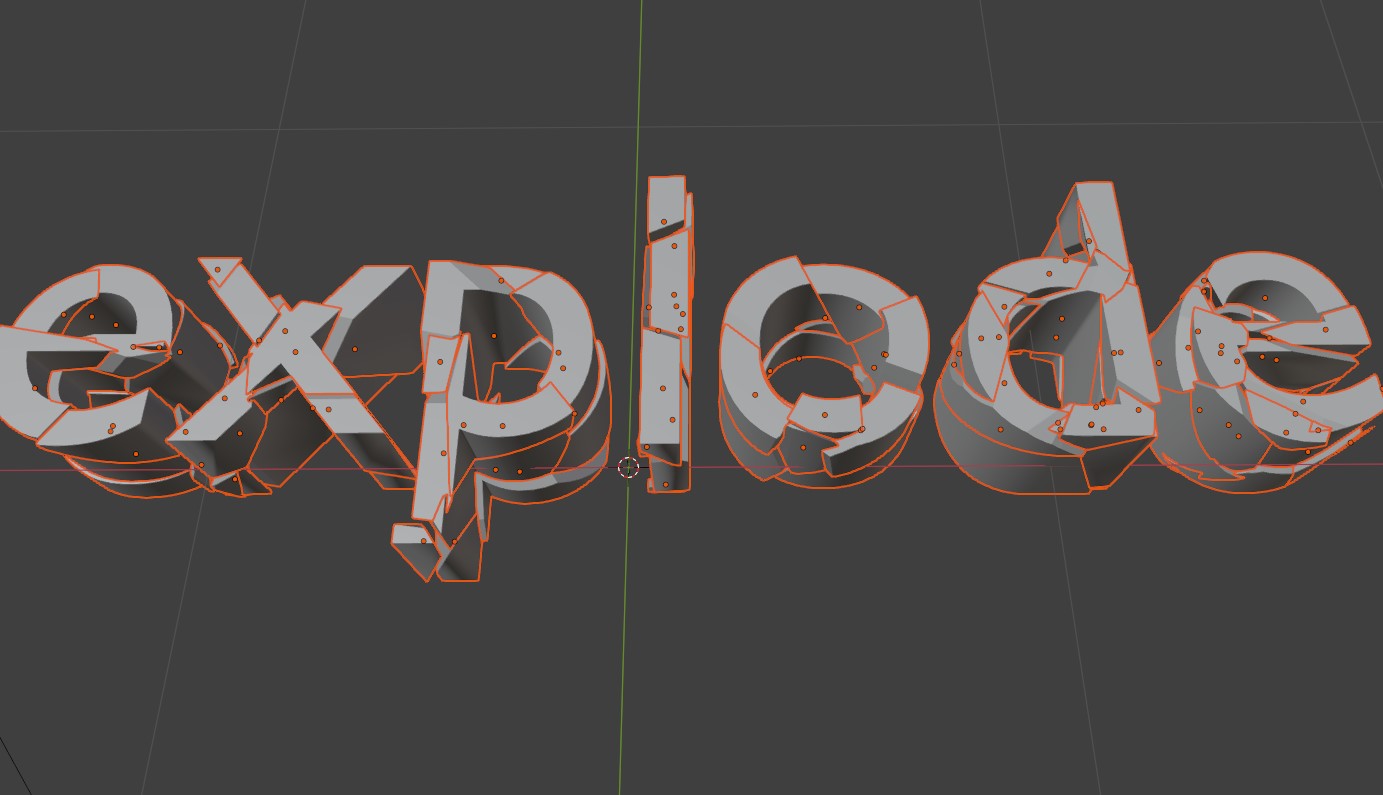
We can use the 'fracture' effect to chop up the mesh into smaller pieces - we'll add in a bit of randomness as well so the cells arne't all equal and square.
Generate the 3D mesh for the word 'explode' - then we fracture it and convert it into pieces - so that it stands ou tmore we also offset each piece by a small amount.
<?php
import bpy

# --- Clean up ---
bpy.ops.object.select_all(action='SELECT')
bpy.ops.object.delete(use_global=False)

# --- Create text ---
bpy.ops.object.text_add(location=(-1.5, 0, 0))
text_obj = bpy.context.object
text_obj.data.body = "explode"
text_obj.data.extrude = 0.2
bpy.ops.object.convert(target='MESH')
text_obj.name = "ExplodingText"

# --- Subdivide to add geometry for explosion ---
bpy.context.view_layer.objects.active = text_obj
bpy.ops.object.mode_set(mode='EDIT')
bpy.ops.mesh.subdivide(number_cuts=10)
bpy.ops.object.mode_set(mode='OBJECT')


obj = bpy.context.active_object

if True:
    bpy.ops.object.select_all(action='DESELECT')
    obj.select_set(True)
    bpy.context.view_layer.objects.active = obj

    print( bpy.ops.object.add_fracture_cell_objects.get_rna_type().properties.keys() )

    bpy.ops.object.add_fracture_cell_objects(
        #use_remove_original=True,
        #source='VERT_OWN',
        #cell_scale=cell_scale,
        source_noise=0.3,          # <-- noise amount (float)
        #use_smooth_faces=True,
        #use_interior_voronoi=True,
        #recursion=recursion,
        #margin=0.001
    )

    bpy.data.objects.remove(obj, do_unlink=True)


import bpy
import random
from mathutils import Vector

def random_color():
    return (random.random(), random.random(), random.random(), 1)

def random_offset(max_offset=0.1):
    return Vector((
        random.uniform(-max_offset, max_offset),
        random.uniform(-max_offset, max_offset),
        random.uniform(-max_offset, max_offset)
    ))

for obj in bpy.context.scene.objects:
    if obj.type == 'MESH':
        # Add random color material
        mat = bpy.data.materials.new(name=f"RandomColor_{obj.name}")
        mat.use_nodes = True
        bsdf = mat.node_tree.nodes.get('Principled BSDF')
        if bsdf:
            bsdf.inputs['Base Color'].default_value = random_color()
        if obj.data.materials:
            obj.data.materials[0] = mat
        else:
            obj.data.materials.append(mat)

        # Add random small offset to location
        obj.location += random_offset(0.02)


# --- Add a camera ---
cam_data = bpy.data.cameras.new("Camera")
cam_obj = bpy.data.objects.new("Camera", cam_data)
bpy.context.collection.objects.link(cam_obj)
cam_obj.location = (0, 0, 5)
cam_obj.rotation_euler = (0.1, 0, 0)

# --- Add a light ---
light_data = bpy.data.lights.new(name="Light", type='SUN')
light_obj = bpy.data.objects.new(name="Light", object_data=light_data)
bpy.context.collection.objects.link(light_obj)
light_obj.location = (5, -5, 5)
light_obj.rotation_euler = (0.7, 0.3, 0.8)

# --- Set camera as active ---
bpy.context.scene.camera = cam_obj
Get Information (Function Parameters)
You can actually write a little script to see what the default arguemnts aned what arguments the fractal function takes (i.e.,
bpy.ops.object.add_fracture_cell_objects
).
<?php
import bpy

op = bpy.ops.object.add_fracture_cell_objects
props = op.get_rna_type().properties

print("Properties for bpy.ops.object.add_fracture_cell_objects:")
for prop_name, prop in props.items():
    # Skip 'rna_type' property which is meta info
    if prop_name == "rna_type":
        continue

    default = getattr(prop, "default", "<no default>")
    prop_type = type(prop).__name__
    print(f"- {prop_name} (type: {prop_type}, default: {default})")
You get an output like this in the console window: