|
|
 |
Blender (.py) Scripts...
Automating Blender .. |
|
|
|
 | Noisy Sphere Material Pattern |  |
This is a simple idea - but the script involves lots of little qwerks to make it work.
Easy to clear the scene and add a sphere - but you need to also tinker with creating a material and binding it to the shape.
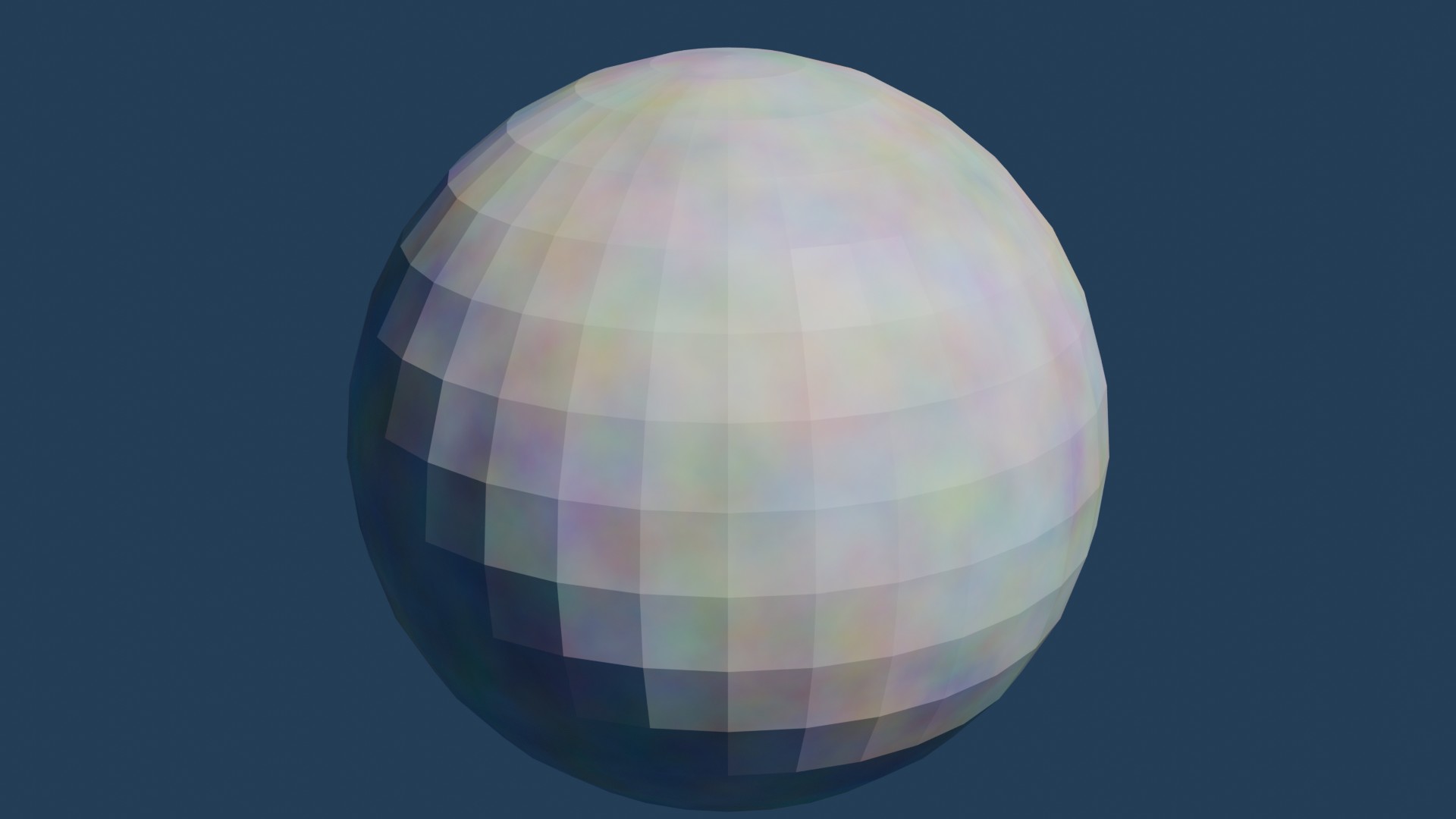 Example of the output rendererd from the camera with lighting - the surface of the sphere is covered with a textured noise pattern. Example of the output rendererd from the camera with lighting - the surface of the sphere is covered with a textured noise pattern.
<?php
import bpy
import random

# Clear the scene
bpy.ops.object.select_all(action='SELECT')
bpy.ops.object.delete(use_global=False)

# Add a UV Sphere
bpy.ops.mesh.primitive_uv_sphere_add(radius=1, location=(0, 0, 0))
sphere = bpy.context.object

# Create a new material with a procedural noise texture
mat = bpy.data.materials.new(name="NoiseMaterial")
mat.use_nodes = True
nodes = mat.node_tree.nodes
links = mat.node_tree.links

# Clear default nodes
nodes.clear()

# Create nodes
output_node = nodes.new(type='ShaderNodeOutputMaterial')
principled_bsdf = nodes.new(type='ShaderNodeBsdfPrincipled')
noise_texture = nodes.new(type='ShaderNodeTexNoise')
mapping = nodes.new(type='ShaderNodeMapping')
tex_coord = nodes.new(type='ShaderNodeTexCoord')

# Position nodes (for clarity in Shader Editor)
output_node.location = (400, 0)
principled_bsdf.location = (200, 0)
noise_texture.location = (0, 200)
mapping.location = (-200, 200)
tex_coord.location = (-400, 200)

# Connect nodes
links.new(principled_bsdf.outputs['BSDF'], output_node.inputs['Surface'])
links.new(noise_texture.outputs['Color'], principled_bsdf.inputs['Base Color'])
links.new(mapping.outputs['Vector'], noise_texture.inputs['Vector'])
links.new(tex_coord.outputs['Generated'], mapping.inputs['Vector'])

# Randomize noise seed and scale
noise_texture.inputs['Scale'].default_value = random.uniform(2.0, 10.0)
noise_texture.inputs['Detail'].default_value = 5.0
noise_texture.inputs['Roughness'].default_value = 0.5
noise_texture.noise_dimensions = '3D'

# Assign material to sphere
sphere.data.materials.append(mat)

# Add a camera
bpy.ops.object.camera_add(location=(0, -5, 2), rotation=(1.2, 0, 0))
camera = bpy.context.object
bpy.context.scene.camera = camera

# Add a light
bpy.ops.object.light_add(type='AREA', location=(4, -4, 6))
light = bpy.context.object
light.data.energy = 1000
light.rotation_euler = (1, 0, 0.8)
|
|



