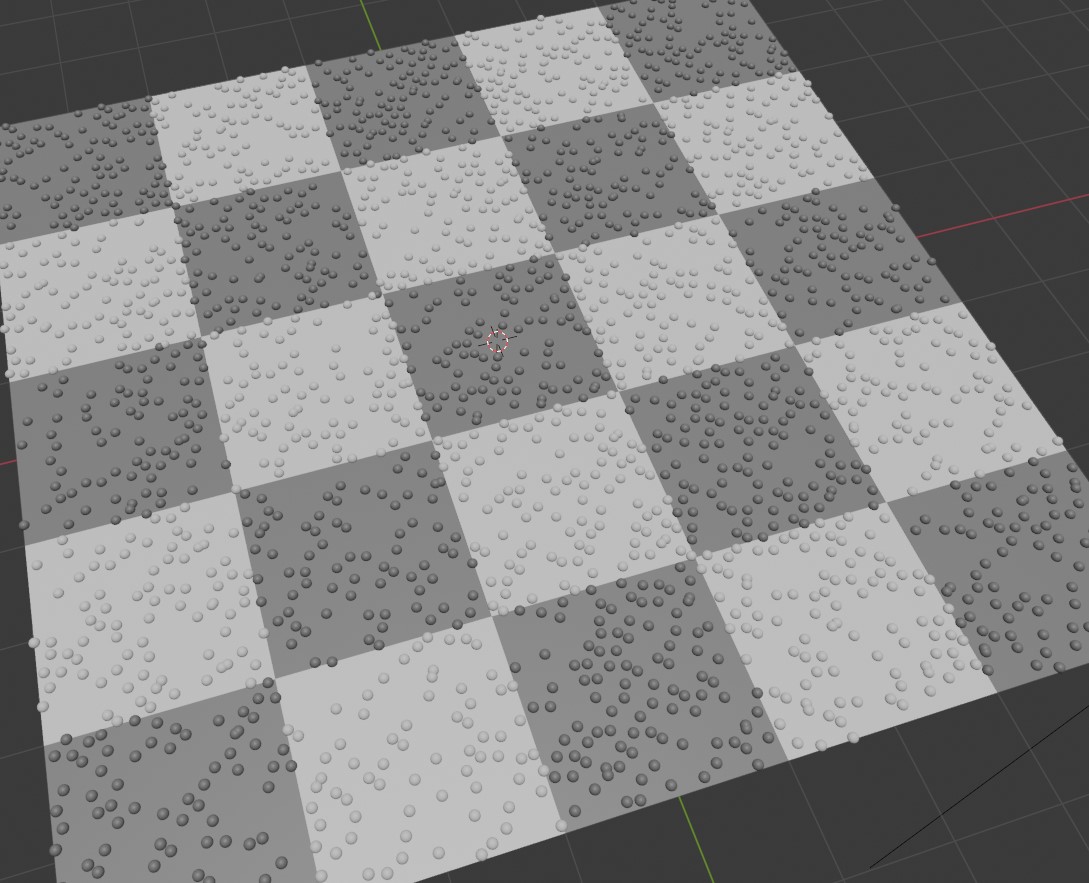
You can easily add particles to a scene - but how do you color each particle? In the shader node, you can get each particle instance using the 'object info' - this gives you the position, index and so on - which you can use to calculate the color. A simple example, is to use the 'location' as the base color - so you'll see red, green and blue particles based on their x, y and z world location. For this example though, we'll get the color to match the texture coordinates (put a texture onto a plane and have hte particle cover it and match).
Using a chequered texture pattern as a test - we can show the example working using the simple script.
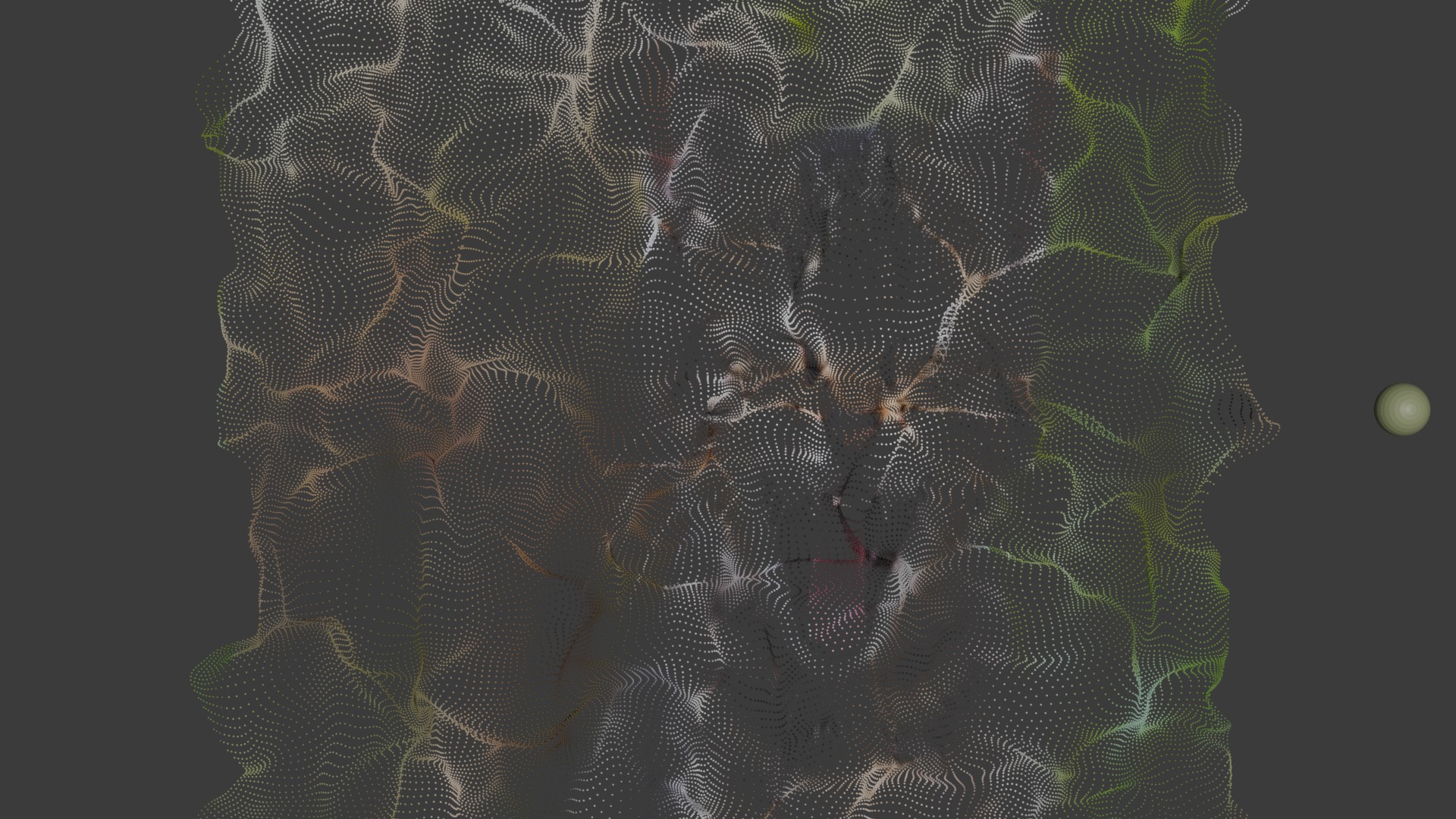
The above example is a simple test that you can use to check things are working - now we're ready go ramp the idea up a bit more - so we'll load in a texture (a laughing cat)! We'll also modify the particle distribution to be 'unform grid' instead of just a random scattering for the starting location.
We'll also mix in some forces - so they float away ;)
See a quick screenshot of the effect after a few frames - still makeout the cat!
<?php
import bpy

# --- Clear the scene ---

# Ensure we're in object mode before modifying objects
if bpy.ops.object.mode_set.poll():
    bpy.ops.object.mode_set(mode='OBJECT')

# Deselect everything first
bpy.ops.object.select_all(action='DESELECT')

# Remove all objects, including hidden and undrawn ones
for obj in bpy.data.objects:
    bpy.data.objects.remove(obj, do_unlink=True)


# --- Create a plane with image texture material ---
bpy.ops.mesh.primitive_plane_add(size=10, location=(0, 0, 0))
plane = bpy.context.active_object
plane.name = "ImagePlane"

plane_mat = bpy.data.materials.new(name="ImagePlaneMat")
plane_mat.use_nodes = True
nodes = plane_mat.node_tree.nodes
links = plane_mat.node_tree.links

# Clear default nodes
for node in nodes:
    nodes.remove(node)

# Create nodes
tex_image = nodes.new("ShaderNodeTexImage")
tex_coord = nodes.new("ShaderNodeTexCoord")
mapping = nodes.new("ShaderNodeMapping")
bsdf = nodes.new("ShaderNodeBsdfPrincipled")
output = nodes.new("ShaderNodeOutputMaterial")

# Load image
image_path = 'c:/tmp/cat.jpg'
tex_image.image = bpy.data.images.load(image_path)

# Connect nodes
links.new(tex_coord.outputs["Generated"], mapping.inputs["Vector"])
links.new(mapping.outputs["Vector"], tex_image.inputs["Vector"])
links.new(tex_image.outputs["Color"], bsdf.inputs["Base Color"])
links.new(bsdf.outputs["BSDF"], output.inputs["Surface"])


texscale = 1.0
texoff = 5.0

# Adjust mapping scale if desired
mapping.inputs["Scale"].default_value = (texscale, texscale, texscale)

# Assign material
plane.data.materials.append(plane_mat)


# --- Create particle instance: UV sphere ---
bpy.ops.mesh.primitive_uv_sphere_add(radius=0.5, location=(5, 0, 5))
particle = bpy.context.active_object
particle.name = "ParticleInstance"


# --- Shader for particle: still using checker (can be swapped if needed) ---
mat = bpy.data.materials.new("CheckerParticleMat")
mat.use_nodes = True
nodes = mat.node_tree.nodes
links = mat.node_tree.links

# Clear default nodes
for node in nodes:
    nodes.remove(node)

# Create nodes
output = nodes.new("ShaderNodeOutputMaterial")
bsdf = nodes.new("ShaderNodeBsdfPrincipled")
tex_image = nodes.new("ShaderNodeTexImage")
mapping = nodes.new("ShaderNodeMapping")
object_info = nodes.new("ShaderNodeObjectInfo")
add_offset = nodes.new("ShaderNodeVectorMath")
add_offset.operation = 'ADD'

tex_image.image = bpy.data.images.load(image_path)

# Offset value
add_offset.inputs[1].default_value = (texoff, texoff, 0.0)

# Connect nodes
links.new(object_info.outputs["Location"], add_offset.inputs[0])
links.new(add_offset.outputs["Vector"], mapping.inputs["Vector"])

mapping.inputs["Scale"].default_value = (texscale*0.1, texscale*0.1, texscale*0.1)

links.new(mapping.outputs["Vector"], tex_image.inputs["Vector"])
links.new(tex_image.outputs["Color"], bsdf.inputs["Base Color"])

links.new(bsdf.outputs["BSDF"], output.inputs["Surface"])

particle.data.materials.append(mat)

# --- Add particle system to the plane ---
mod = plane.modifiers.new(name="Particles", type='PARTICLE_SYSTEM')
psys = mod.particle_system
settings = psys.settings
settings.count = 18200
settings.frame_start = 1
settings.frame_end = 1
settings.lifetime = 250
settings.emit_from = 'FACE'
settings.render_type = 'OBJECT'
settings.instance_object = particle
settings.use_emit_random = True

settings.distribution = 'GRID'
settings.grid_resolution = 100
settings.effector_weights.gravity = 0
settings.normal_factor = 0


plane.show_instancer_for_render = False


# --- Add turbulence force field beneath the plane ---
bpy.ops.object.effector_add(type='TURBULENCE', location=(0, 0, -2))
turbulence = bpy.context.object
turbulence.name = "BottomTurbulence"

# Adjust strength and size for more dramatic effect
turbulence.field.strength = 5
turbulence.field.size = 1.5
turbulence.field.flow = 1.0


# --- Add camera ---
bpy.ops.object.camera_add(location=(0, 0, 20), rotation=(0, 0, 0))
cam = bpy.context.active_object
bpy.context.scene.camera = cam

# --- Add light ---
bpy.ops.object.light_add(type='SUN', location=(5, -5, 10))
light = bpy.context.active_object
light.data.energy = 3
Visitor:
Copyright (c) 2002-2026 xbdev.net - All rights reserved.
Designated articles, tutorials and software are the property of their respective owners.