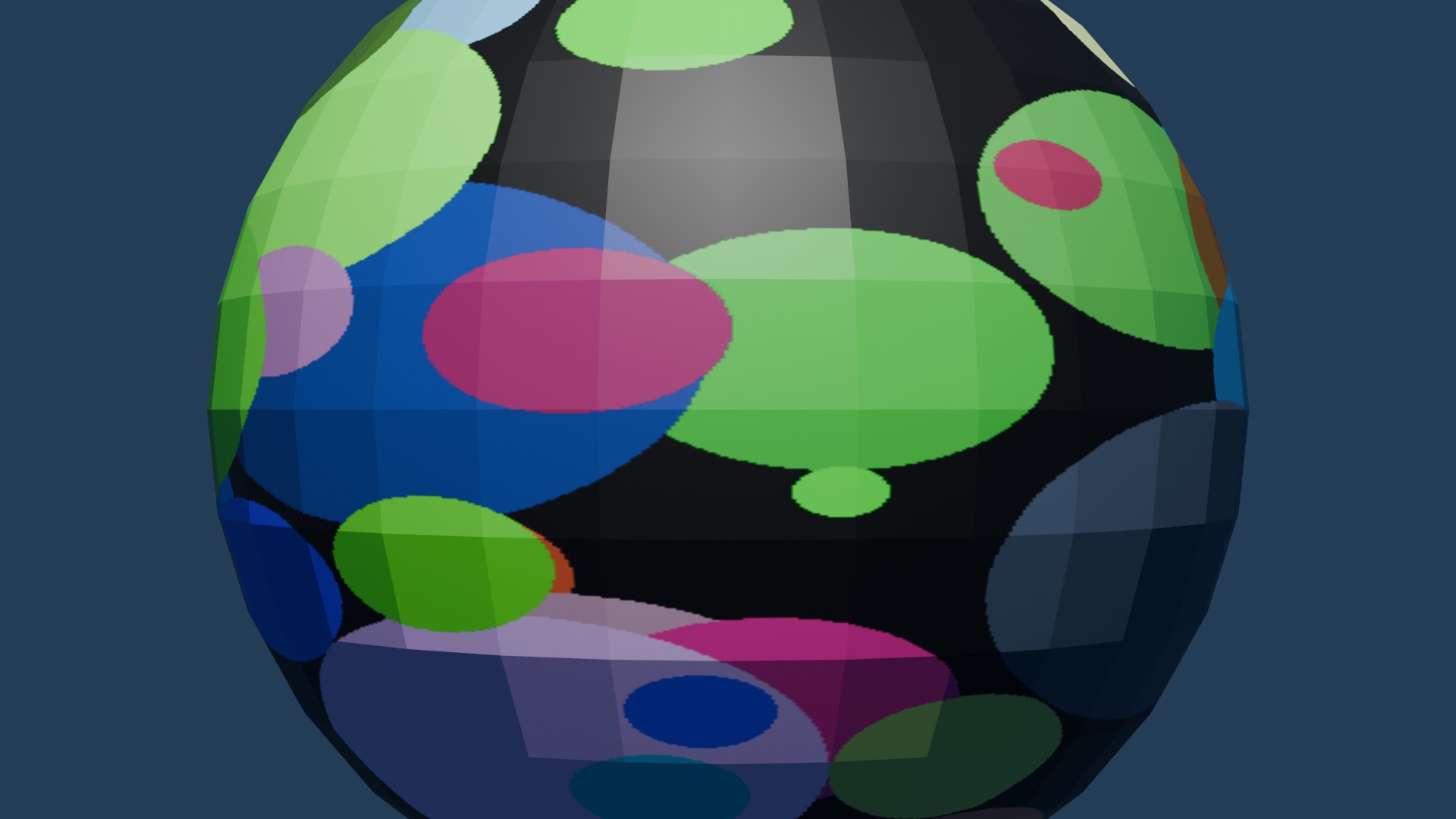
We'll create a texture on-the-fly in the Python script - and map it onto the surface of the shape.
The texture will be a blank texture with some random circles drawn on it.
Generate a texture in Python and use it in Blender - texture mapping to cover the sphere. We can link with other Python libraries and tools and use them with Blender (e.g., Pillow/PIL, OpenCV, ChatGPT text libraries, ...).
<?php
import bpy
import random
from mathutils import Vector
from math import radians
from PIL import Image, ImageDraw
import numpy as np
import os

# -----------------------
# 1. Clear the scene
# -----------------------
bpy.ops.object.select_all(action='SELECT')
bpy.ops.object.delete(use_global=False)

for block in bpy.data.meshes:
    bpy.data.meshes.remove(block)
for block in bpy.data.materials:
    bpy.data.materials.remove(block)
for block in bpy.data.images:
    bpy.data.images.remove(block)

# -----------------------
# 2. Create blank texture and draw random circles
# -----------------------
width, height = 1024, 1024
img = Image.new("RGBA", (width, height), (0, 0, 0, 255))
draw = ImageDraw.Draw(img)

for _ in range(100):  # number of circles
    radius = random.randint(10, 100)
    x = random.randint(0, width)
    y = random.randint(0, height)
    color = tuple(random.randint(0, 255) for _ in range(3)) + (255,)
    draw.ellipse((x - radius, y - radius, x + radius, y + radius), fill=color)

image_path = bpy.app.tempdir + "random_circles.png"
img.save(image_path)

# Load image into Blender
image = bpy.data.images.load(image_path)

# -----------------------
# 3. Create material with texture
# -----------------------
material = bpy.data.materials.new(name="SphereMaterial")
material.use_nodes = True
bsdf = material.node_tree.nodes.get("Principled BSDF")

# Add image texture node
tex_image = material.node_tree.nodes.new("ShaderNodeTexImage")
tex_image.image = image
material.node_tree.links.new(bsdf.inputs['Base Color'], tex_image.outputs['Color'])

# -----------------------
# 4. Create sphere and assign material
# -----------------------
bpy.ops.mesh.primitive_uv_sphere_add(radius=1, location=(0, 0, 0))
sphere = bpy.context.object
sphere.data.materials.append(material)

# -----------------------
# 5. Add camera
# -----------------------
bpy.ops.object.camera_add(location=(0, -4, 0), rotation=(radians(90), 0, 0))
camera = bpy.context.object
bpy.context.scene.camera = camera

# -----------------------
# 6. Add light
# -----------------------
bpy.ops.object.light_add(type='POINT', location=(0, -3, 3))
light = bpy.context.object
light.data.energy = 1000

print("Scene setup complete.")
Visitor:
Copyright (c) 2002-2026 xbdev.net - All rights reserved.
Designated articles, tutorials and software are the property of their respective owners.